Risk Scoring
For each subject screened against sanctions, PEP, and adverse media lists, Zyphe consolidates the matched signals into a single, normalized risk score and a categorical risk level. The scoring engine is fully configurable per organization, so each tenant can align the assessment to its own risk appetite, regulatory perimeter, and internal policies.
The AML risk score is one input to Zyphe's generalized scoring engine: organizations can define additional custom scores fed by form answers, workflow actions, and manual review. See the Scoring section.
Output
Every AML check produces, for each matched entity, a structured result that includes:
| Risk Score | Normalized integer percentage from 0 to 100 |
| Risk Level | Categorical band derived from the score: Low, Medium, High, or Critical |
| Sources Count | Number of independent data sources that contributed to the match |
Risk levels
The AML risk score uses the platform-wide score levels defined in Scoring, the same Low / Medium / High / Critical bands and thresholds apply here. The level is what most reviewers act on; the percentage is what flow builder conditions and audit trails reference. The typical handling column below is AML-specific guidance.
| Score range | Risk level | Typical handling |
|---|---|---|
0–25 | Low | Auto‑approve, log for audit |
26–50 | Medium | Auto‑approve with monitoring, or light review |
51–75 | High | Manual review by a compliance analyst |
76–100 | Critical | Block or escalate; requires senior review |
In the dashboard, risk levels are rendered as color‑coded badges so reviewers can triage cases at a glance.
How the score is computed
The score combines two families of signals. Keep the split in mind:
- A tag is the finding itself (
role.pep,sanction,crime.fraud). It has a weight. - A contextual factor is optional context around that finding (country, position, relationship). It has a multiplier.
You can run AML scoring with tags only. Factors are not required.
The same combinator is documented in How Scores Are Computed.
In short:
- Each topic the entity matches (e.g.,
sanction,role.pep,crime.fraud) contributes a weighted severity to a base score. These topics arrive automatically from screening; you do not assign default AML tags by hand. - The base score is optionally adjusted by contextual signals attached to the match. A high‑risk jurisdiction or a senior government position increases the score multiplicatively; with no factors configured, the tag weights stand alone.
- The result is normalized against the worst‑case configuration to produce a stable percentage in
[0, 100].
The full mathematical specification is part of Zyphe's internal algorithm documentation and is available on request for compliance review.
Configurable tag weights
A tag weight assigns a severity (a positive number) to a specific risk topic. The higher the weight, the more strongly a match on that topic pushes the score upward.
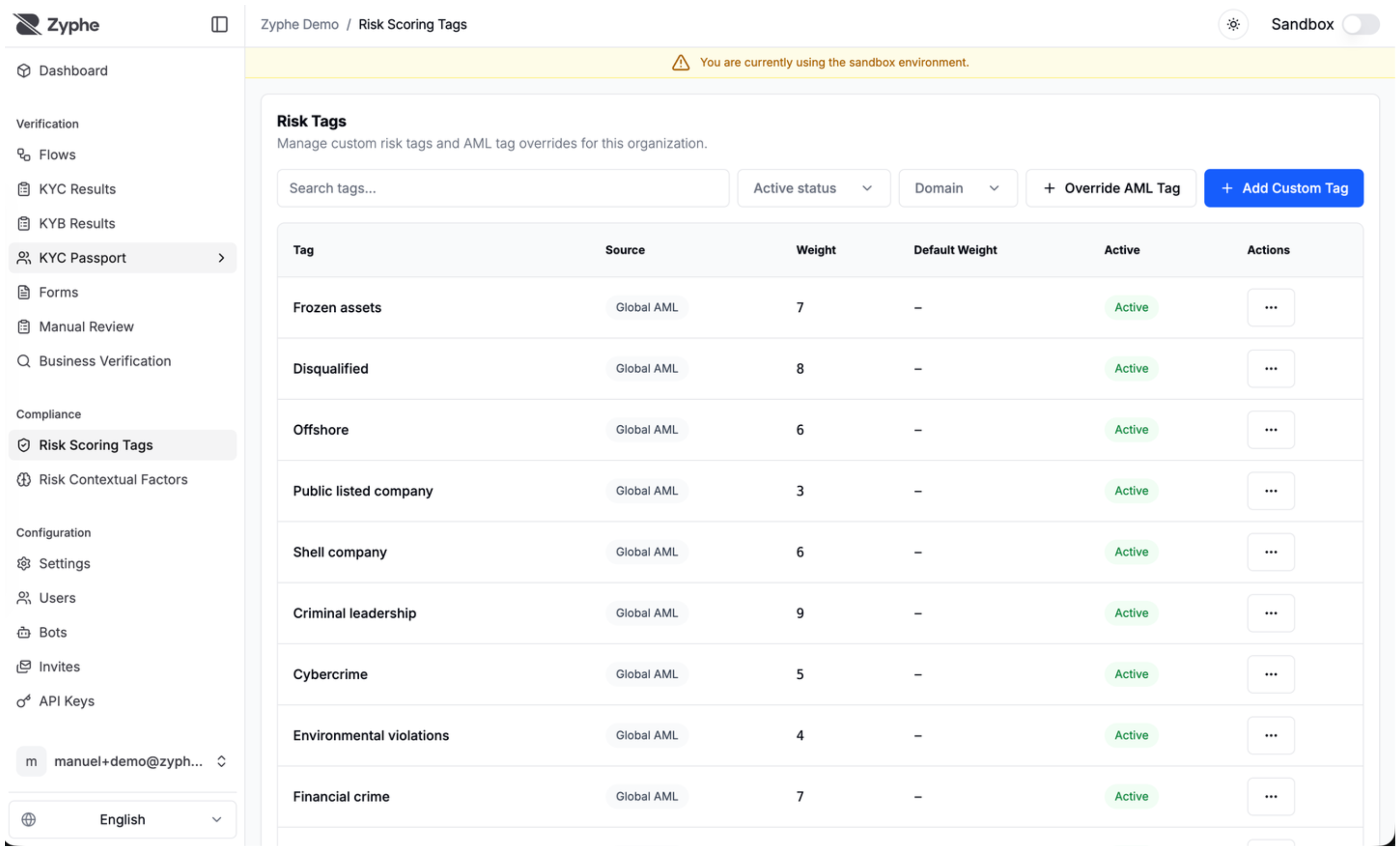
Zyphe ships with a curated set of global default weights covering the standard AML taxonomy. The defaults are designed to produce sensible scores out of the box for most organizations. The dashboard Risk Tags page is the live list; the table below is the seeded catalog.
Each organization can:
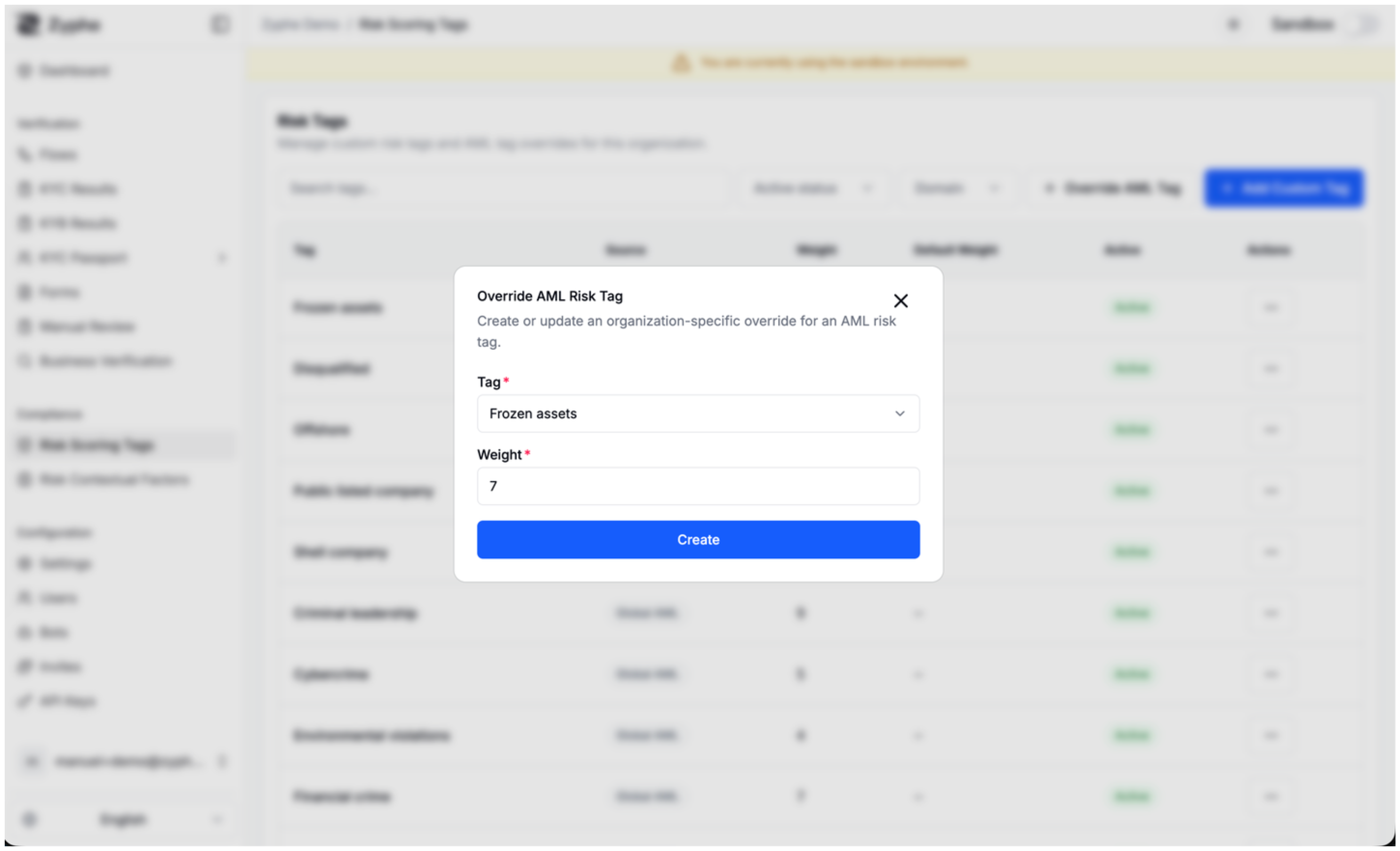
- Override any default weight to make a topic count more or less heavily.
- Add custom tags that are unique to the organization (for internal classifications that aren't part of the global AML taxonomy).
- Activate or deactivate any tag without deleting it, which is useful when temporarily excluding a signal from scoring.
Tag weights are managed from the Risk Tags page in the dashboard, under your organization's settings. The page lists every effective tag for the organization and indicates, for each row, whether it is a global default, a local override, or a custom entry.
Default AML tags
Default tags are emitted by the screening provider when a match carries that topic. Origin is the AML result, not the flow builder.
Grouped by theme (key, dashboard label, default weight). Override any weight per organization; deactivate a tag to exclude it without deleting it.
Sanctions, watchlists, and regulatory
| Key | Label | Default weight |
|---|---|---|
sanction | Sanctioned entity | 10 |
wanted | Wanted | 10 |
sanction.linked | Sanction-linked entity | 8 |
sanction.counter | Counter-sanctioned entity | 8 |
debarment | Debarred entity | 6 |
export.control | Export controlled | 7 |
export.risk | Trade risk | 6 |
reg.action | Regulator action | 6 |
reg.warn | Regulator warning | 3 |
poi | Person of interest | 4 |
asset.frozen | Frozen assets | 7 |
Crime
| Key | Label | Default weight |
|---|---|---|
crime.terror | Terrorism | 10 |
crime.war | War crimes | 10 |
crime.boss | Criminal leadership | 9 |
crime.traffick.drug | Drug trafficking | 9 |
crime.traffick.human | Human trafficking | 9 |
crime.traffick | Trafficking | 8 |
forced.labor | Forced labor | 8 |
crime.fraud | Fraud | 7 |
crime.fin | Financial crime | 7 |
crime.cyber | Cybercrime | 5 |
crime.theft | Theft | 5 |
crime.env | Environmental violations | 4 |
PEP, government, and roles
| Key | Label | Default weight |
|---|---|---|
role.pep | Politician (PEP) | 5 |
role.oligarch | Oligarch | 6 |
role.spy | Spy | 8 |
gov.head | Head of government or state | 7 |
gov.security | Security services | 7 |
gov.executive | Executive branch | 6 |
gov.national | National government | 6 |
gov.financial | Central banking / financial integrity | 6 |
gov.state | State government | 5 |
gov.soe | State-owned enterprise | 5 |
gov.legislative | Legislative branch | 5 |
mil | Military | 5 |
gov | Government | 4 |
gov.muni | Municipal government | 4 |
gov.igo | Intergovernmental organization | 4 |
gov.admin | Civil service | 4 |
gov.judicial | Judicial branch | 4 |
role.judge | Judge | 4 |
role.pol | Non-PEP politician | 3 |
role.civil | Civil servant | 3 |
role.diplo | Diplomat | 3 |
role.lawyer | Lawyer | 3 |
role.acct | Accountant | 3 |
role.act | Activist | 3 |
role.lobby | Lobbyist | 3 |
role.journo | Journalist | 2 |
pol.party | Political party | 4 |
pol.union | Union | 3 |
rel | Religion | 2 |
Corporate and financial
| Key | Label | Default weight |
|---|---|---|
corp.disqual | Disqualified | 8 |
corp.offshore | Offshore | 6 |
corp.shell | Shell company | 6 |
corp.public | Public listed company | 3 |
fin.bank | Bank | 4 |
fin.fund | Fund | 4 |
fin | Financial services | 3 |
fin.advisor | Financial advisor | 3 |
PEP relatives and close associates
A match on a relative or close associate of a PEP carries the role.rca topic (shown as Close Associate). Zyphe treats it as a PEP match:
- It sets the PEP flag on the result, the same as a PEP.
- It scores with the
role.pepweight. The catalog seeds norole.rcaweight of its own; add a custom tag with the keyrole.rcaon the Risk Tags page to give associates a different weight. - Your compliance policy for PEP matches applies to it, and the AML agent reviews it as a PEP-category match.
Custom tags (your own names) are added on the same page with Add Custom Tag, then assigned from a form, from Flow Builder, or from review. See Tags.
Configurable contextual factors
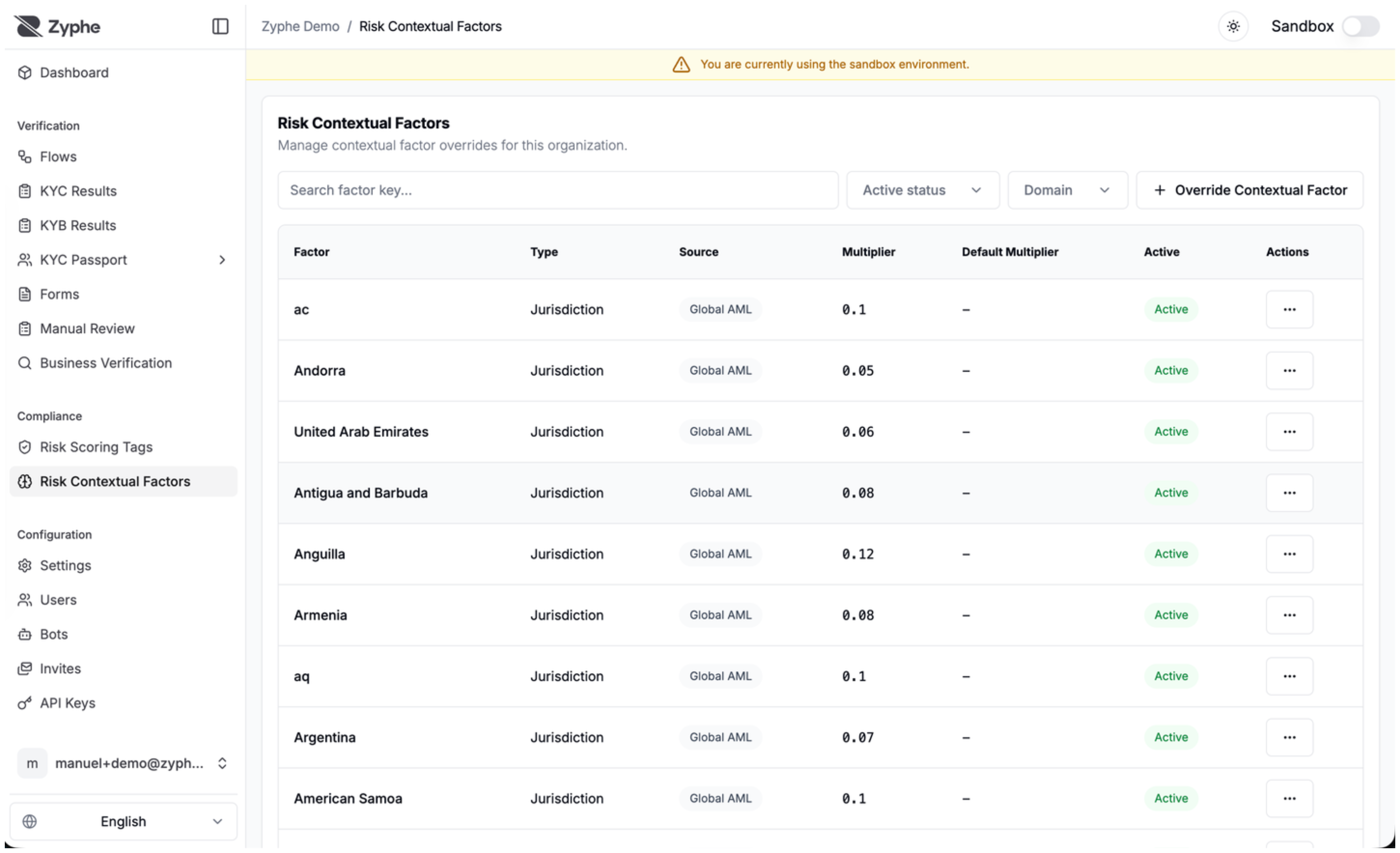
A contextual factor is an optional multiplier applied on top of the base score when a specific contextual signal is present in the match. Tag = weight; factor = multiplier. Factors are not required: if none match (or all are deactivated), the score is just the tag weights.
There are three types:
| Jurisdiction | Country‑level multipliers based on ISO‑3166 codes, applied when the entity's country, nationality, or country of birth matches a configured factor |
| Position | Multipliers tied to roles or occupancies, such as senior government officials, security agency leadership, or judicial figures |
| Relationship | Multipliers tied to relationship topics, such as a person being linked to a sanctioned entity or sitting on the board of a shell corporation |
As with tag weights, Zyphe provides global defaults covering the most common jurisdictions, positions, and relationship classes. Organizations can override any default factor or disable factors that don't apply to their use case. Contextual factors are managed from the Risk Contextual Factors page.
Examples
Same PEP tag, different country. Screening emits role.pep (weight 5) in both cases. A jurisdiction factor then multiplies the result:
- PEP whose country is Italy (
IT): default jurisdiction multiplier is low (0.05→ +5%). The PEP tag still counts; Italy does not inflate it much. - PEP whose country is a high-risk jurisdiction (for example
KP, default0.4→ +40%): the same tag is amplified. The finding did not change; the context did.
Position. A match tagged as head of government (gov.head) carries both a tag weight and, when configured, a position multiplier (default 0.6). A journalist (role.journo) has a small tag weight and a near-zero position multiplier.
Italian provinces. AML jurisdiction factors are country-level (ISO 3166) today. Banca d’Italia territorial risk (sede operativa, titolare effettivo) is the same multiplier idea at province level. Until a first-class province set is configured for your organization, model it as a form contextual factor: a select of provinces, each option a factor key with its own multiplier. See Form scoring.
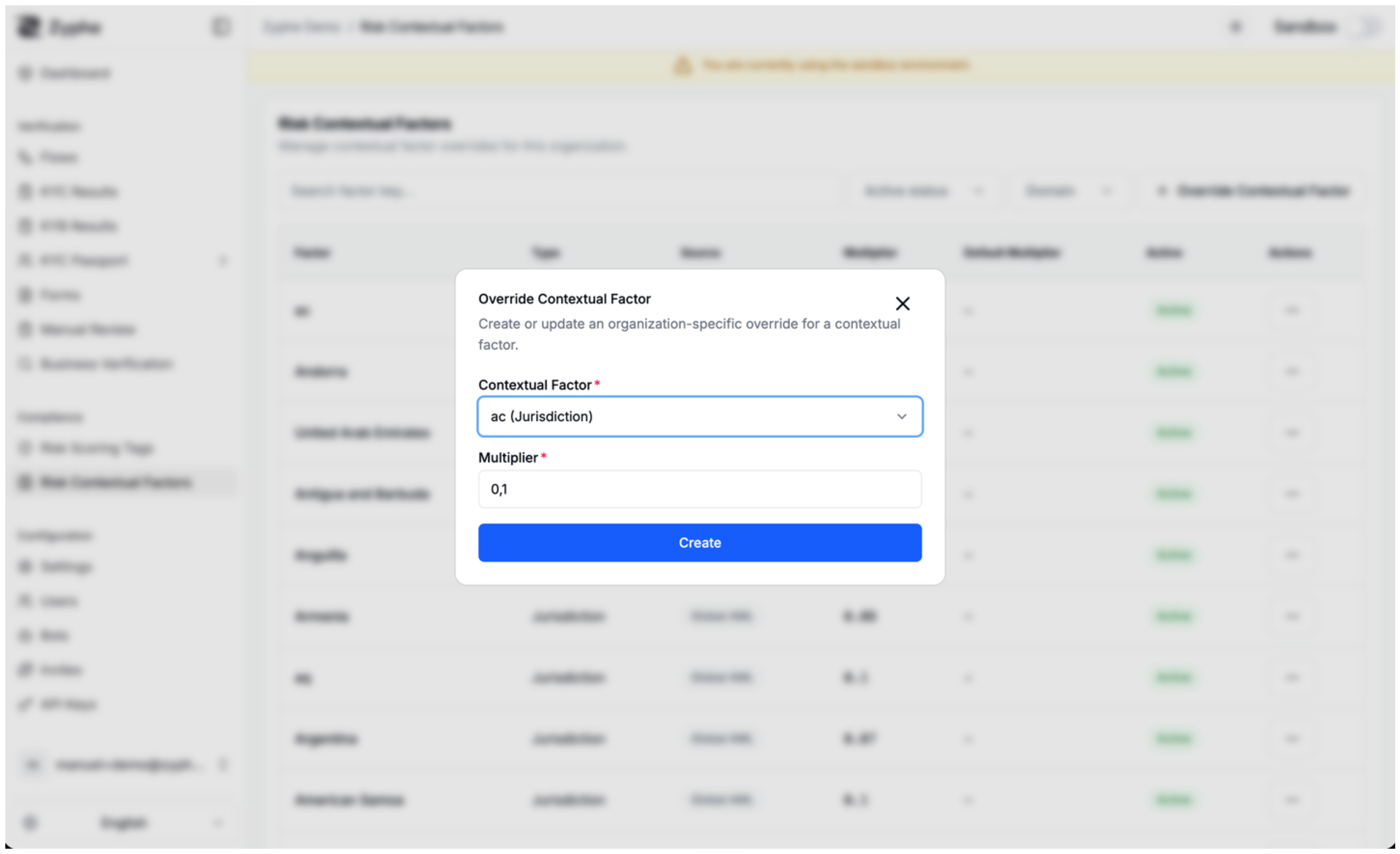
Both tag weights and contextual factors follow the same precedence model: organization‑level configuration takes priority over global defaults. When you create an override, the global default is preserved and shown alongside the override so you always have a reference point.
Assigning custom risk tags from a flow
Beyond the screening provider's output, your verification flows can attach custom risk tags to a specific result, for example to mark a subject who failed a manual document check as carrying additional internal risk. Custom tags assigned this way are folded into the next risk score computation for that flow result, using the weights configured for the organization.
Create the tag first (Risk Tags or Score Definitions → Manage tags), then associate it. The usual paths are a scored form field, the Assign Risk Tags action node in Flow Builder (behind a condition), or a manual assignment on the result. Step-by-step: Tags.
Using risk scores in flow builder conditions
The flow builder exposes the AML risk score as a condition input. You can branch a flow based on the percentage value with operators such as greater‑than, less‑than, or equals, which lets you encode policies like "send to manual review if score ≥ 60" or "auto‑reject if score ≥ 85" directly in the flow definition, without writing custom code.
Where risk scores appear in the dashboard
Risk scores are surfaced wherever AML results are reviewed:
- Flow result detail: the AML section lists every matched entity with its risk level, match score, and topic tags, plus a moderation status (Under Review, Approved, Rejected, Escalated).
- Entity detail view: clicking through an entity shows the risk score percentage, risk level badge, the originating sources, the field‑level controls, and the audit trail of moderation actions.
- Case management: risk levels drive sorting and filtering of flow results so reviewers can prioritize the highest‑risk cases first.
When hits need moderation, the optional AML agentic review engine can propose or enact clear or escalate decisions under AML Agent Mode. The risk level and match signals described here are inputs to that engine's deterministic guard.
Programmatic access
Risk scores, levels, and the underlying matched signals are available through the Zyphe REST API as part of the AML result payload. They are intended for integration with internal compliance systems, BI tooling, and case management workflows.
AML webhooks include an update summary under data.aml: the update kind, moderation status, subject type, PEP and sanctions flags, and optional risk-score percentage. Use the Dashboard or AML result API when you need the full screening result and provider matches. See Webhook Payload.
All inputs to the score (matched topics, jurisdictions, positions, relationships, and any custom tags assigned via the flow builder) are persisted alongside the result so the score can be re‑explained and audited at any time.