Billing
Use the Billing page to activate a plan, manage billing details, set trial reminders, and monitor credit usage.
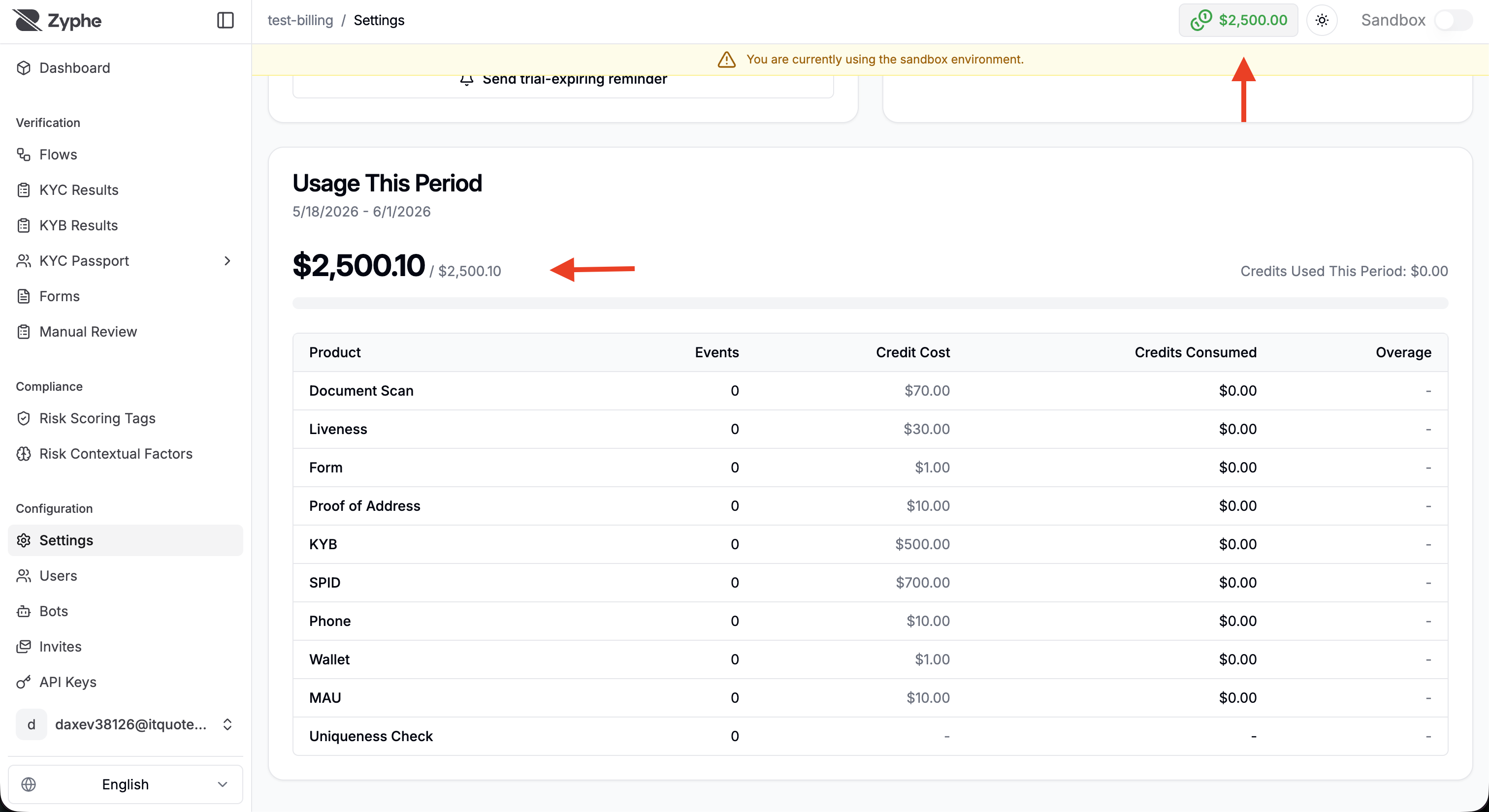
Open Billing
You can open billing in two ways:
- Click Open billing from the trial banner on the dashboard.
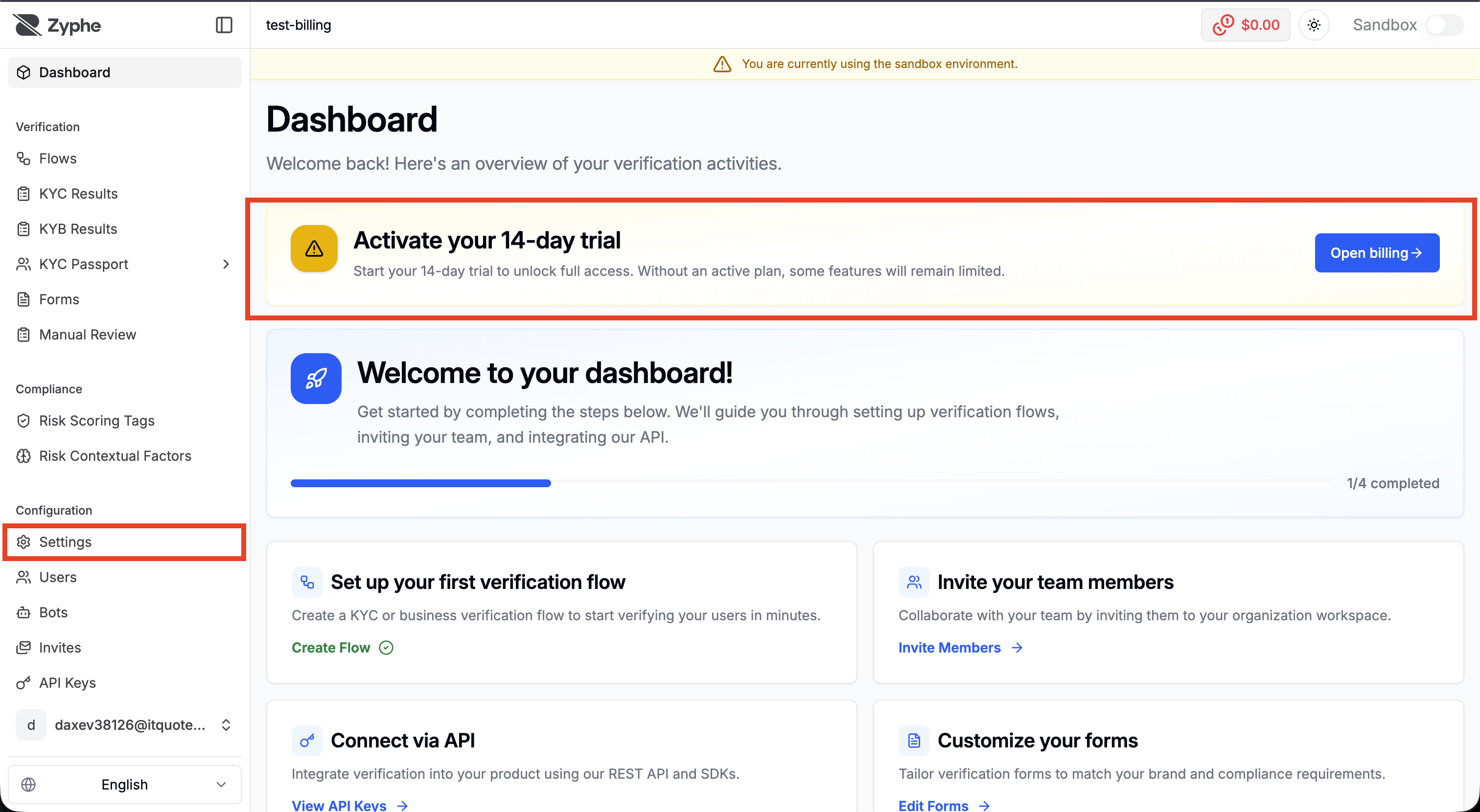
- Open Settings and switch to the Billing tab.
Update Your Plan
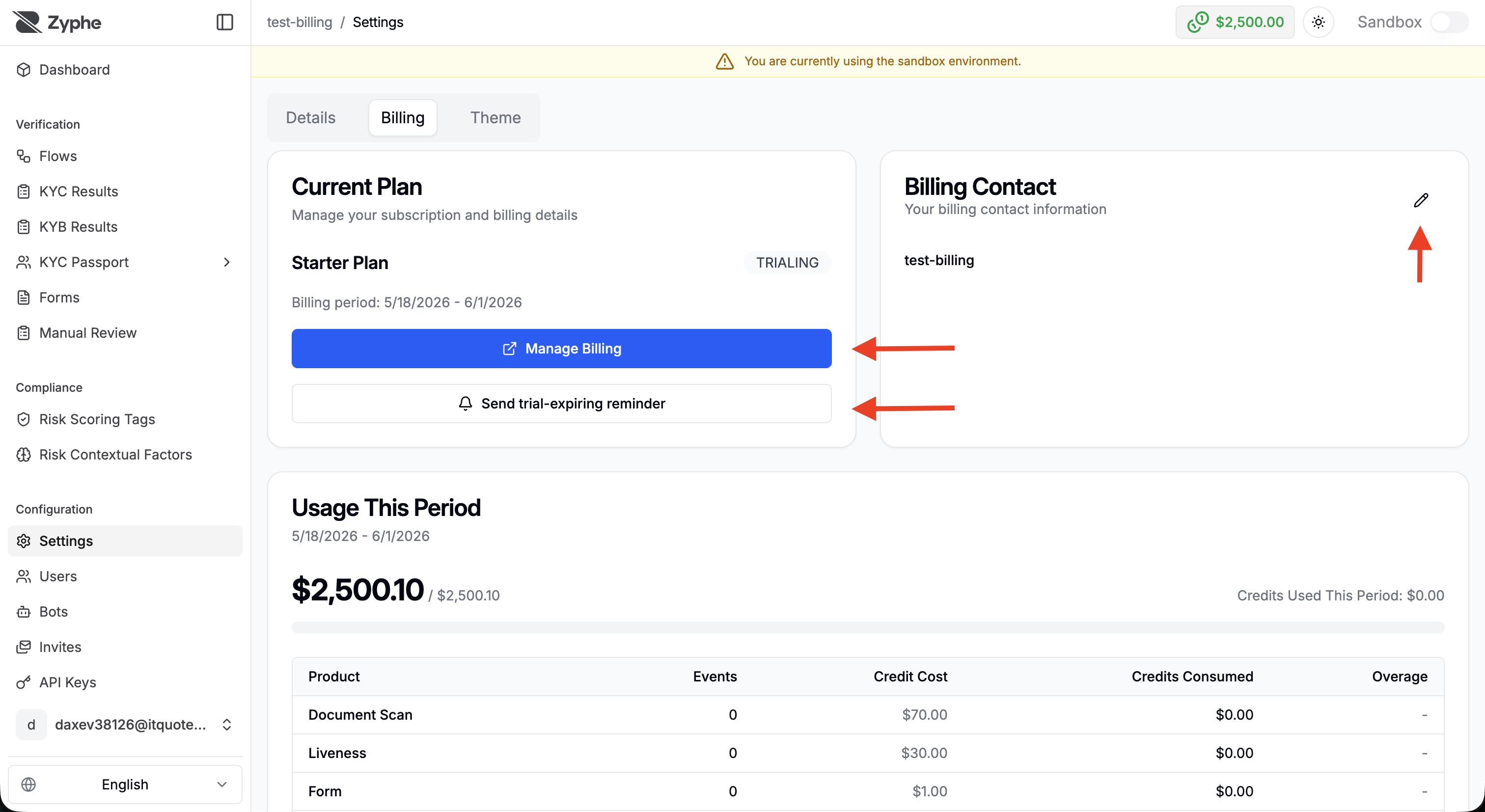
In the Billing tab, the Current Plan card shows your active plan or trial state. Click Update or Manage Billing to change your subscription. The plan dialog shows the plans currently available for your organization.
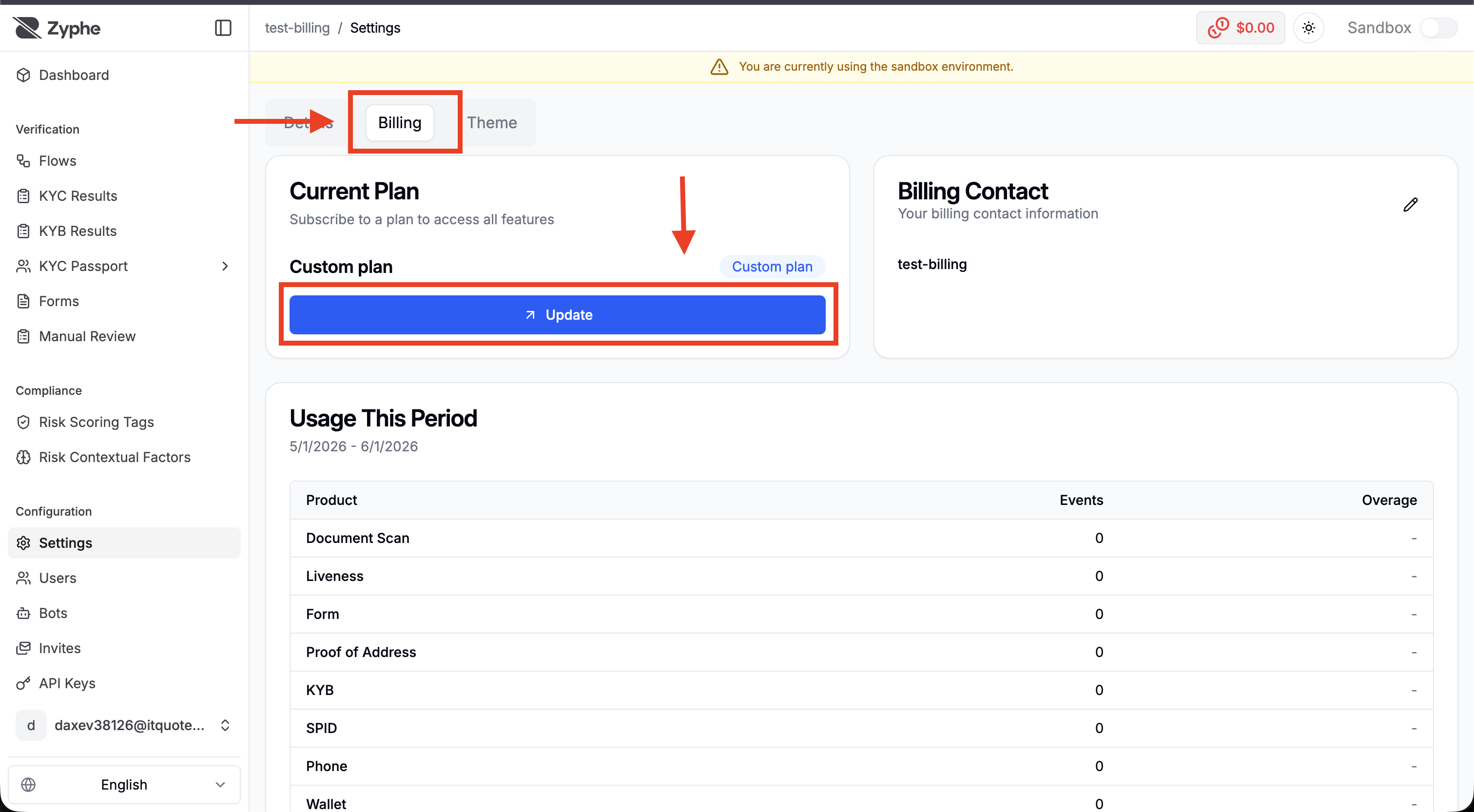
Complete Checkout
After choosing a plan, complete checkout through the Stripe-hosted checkout page. Select the currency, enter the billing email, and start the trial or subscription.
Billing Actions
The Billing page also includes actions for managing billing information and reminders.
- Manage Billing: opens the billing portal for subscription and payment management.
- Billing Contact: lets you customize the billing contact information shown for your organization.
- Trial reminder: sends a reminder before the trial expires.
Usage and Credits
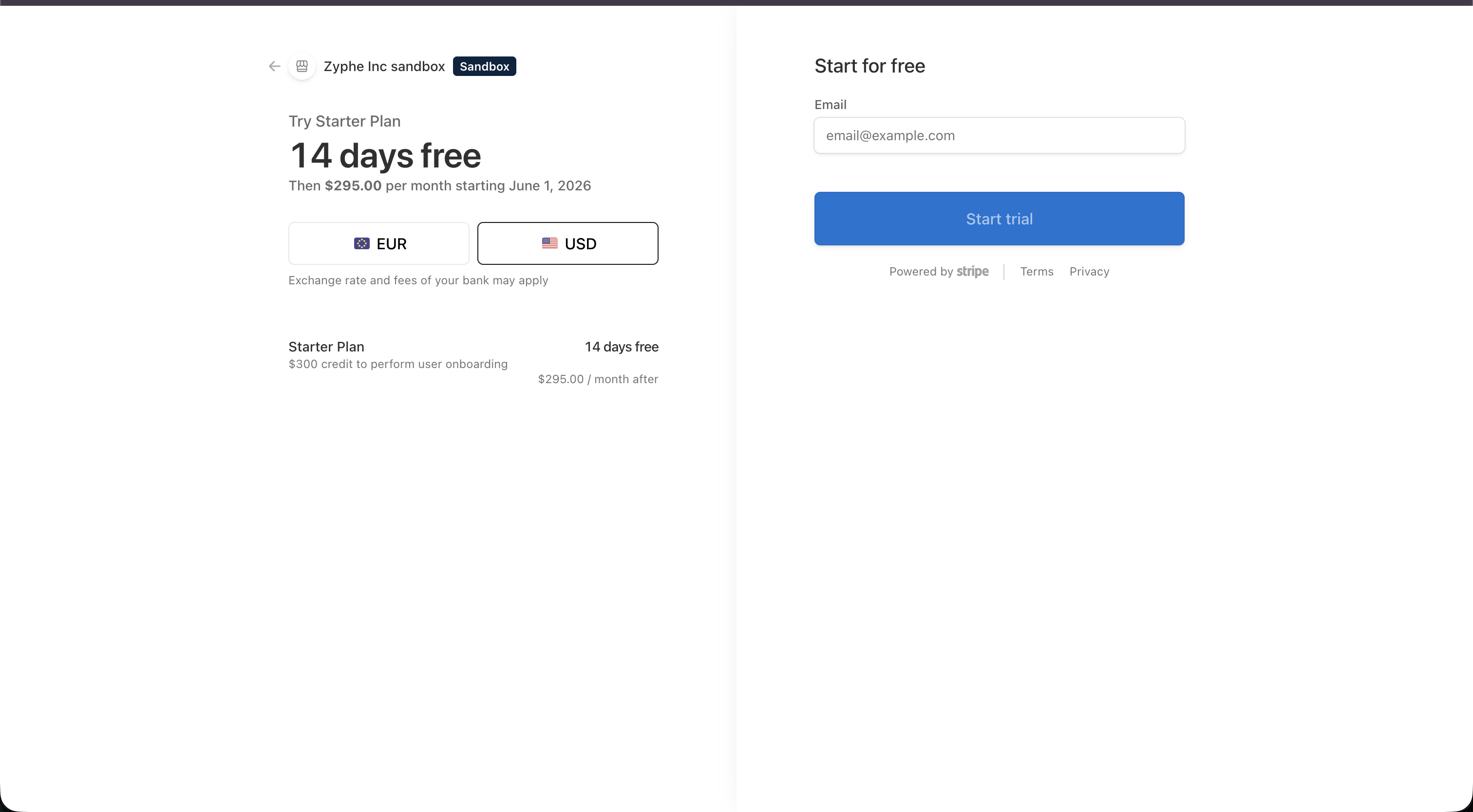
The Usage This Period section shows how credits are consumed during the current billing period. It breaks usage down by product, event count, credit cost, credits consumed, and overage.
The top bar also shows the remaining credit balance, so you can monitor available credits while navigating the dashboard.