Rules and Templates
Transaction Monitoring → Rules holds the rules evaluated on every ingested transaction. Each fired rule contributes a probability, and the noisy-OR combination of all contributions decides Allow / Review / Block.
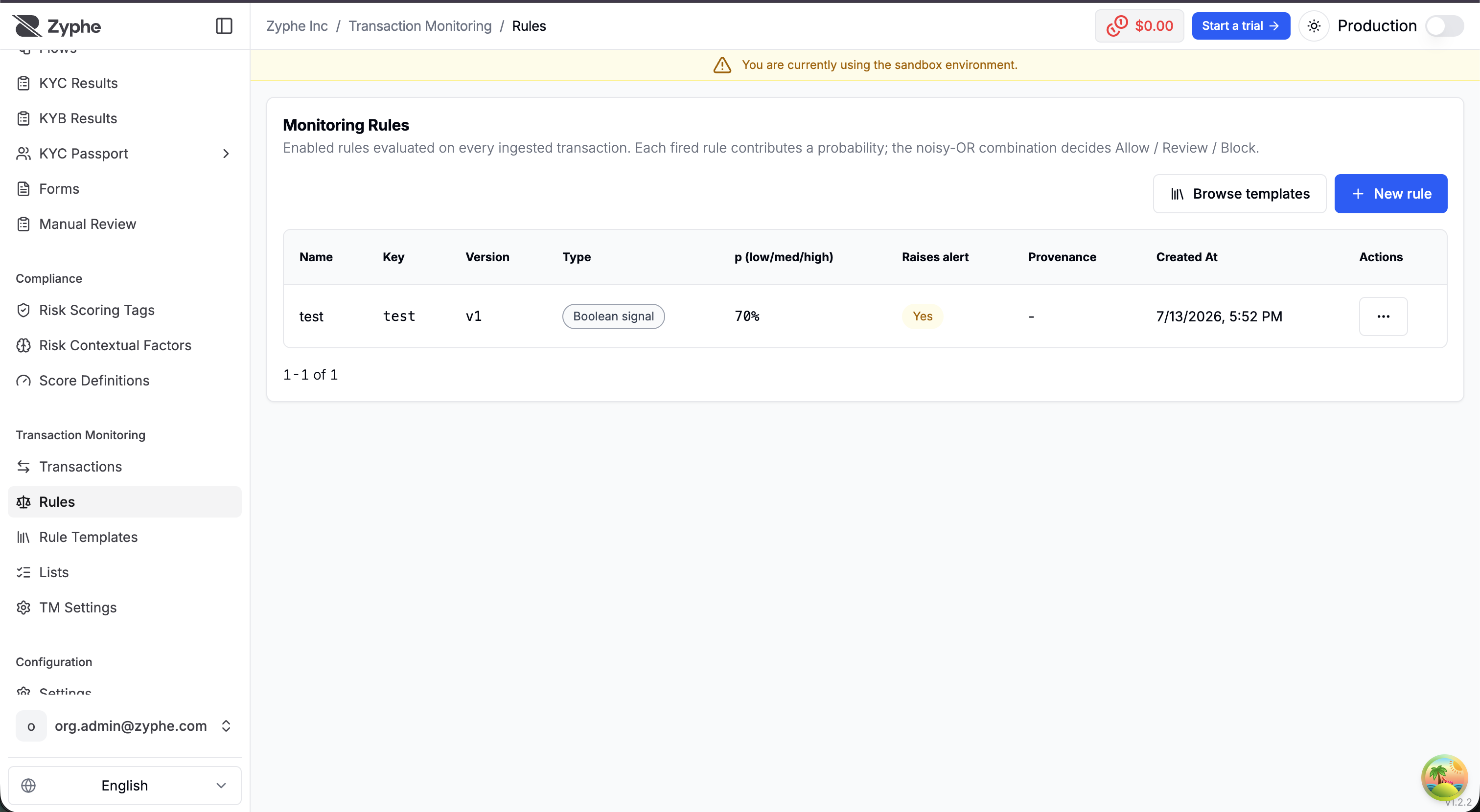
Anatomy of a rule
A rule is made of:
- Rule key — a stable lowercase slug (
a–z,0–9,-and_) that identifies the rule across versions. - Name and description — for your reviewers.
- Condition — when it matches, the rule fires and contributes its probability to the combined
P(risk). - Probabilities — how much a firing contributes, between
0and1. - Raise alert — whether a firing also creates a review-queue alert and notifies your webhook.
The condition builder
Conditions are built visually as nested AND / OR groups of field comparisons (equals, not equals, greater/less than, in a set, contains, is empty / not empty).
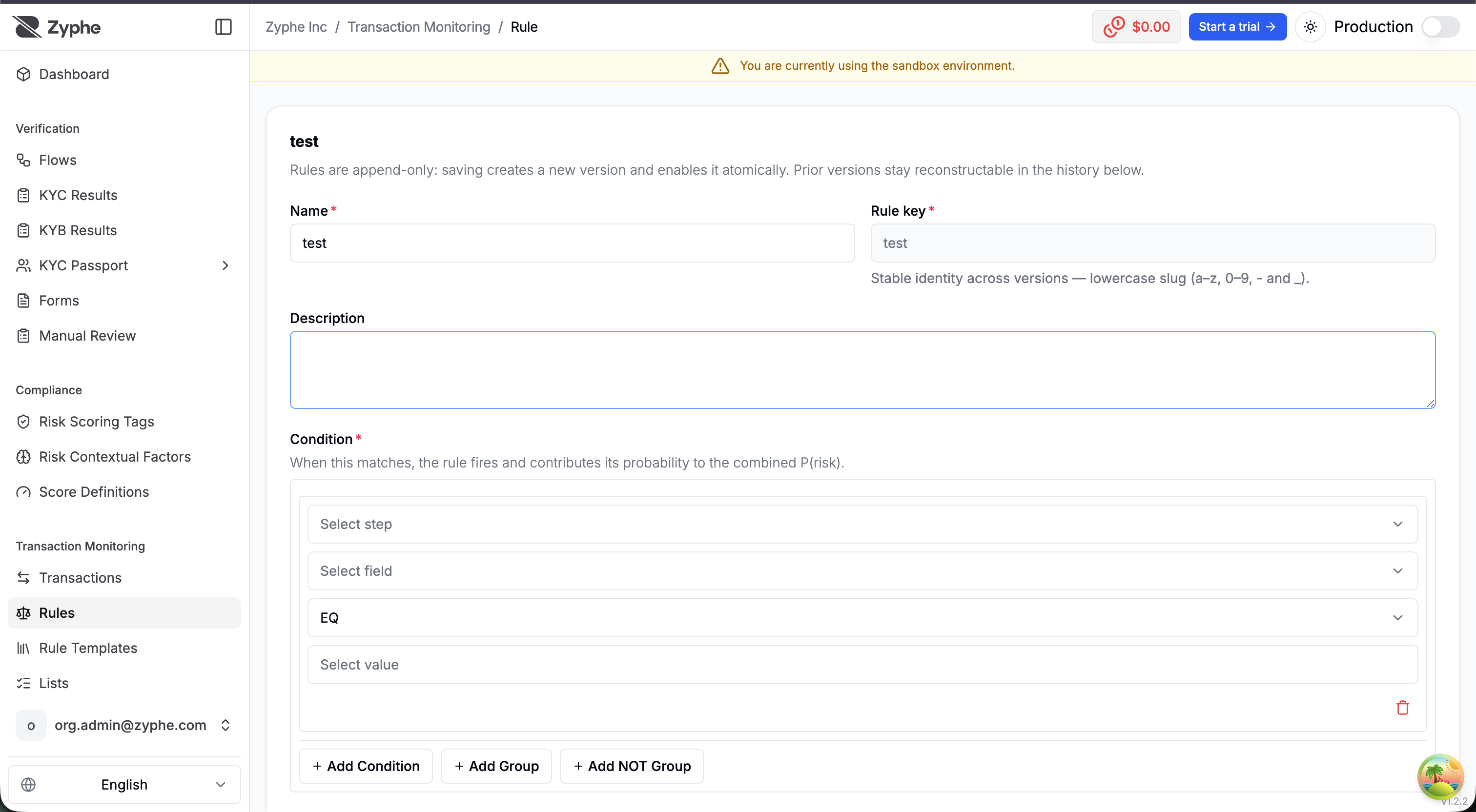
Fields come from three sources:
| Transaction | Amount, currency, direction, payment status, counterparty name / account / country, origin country, channel, rail, payment description, and derived time fields — hour of day, day of week, outside business hours (driven by the timezone in Settings) |
| Lists | Matches against your managed lists — counterparty blocklist / allowlist hits, country-risk list hits, keyword list hits |
| Identity | Signals from the verified identity behind the transaction — KYC risk score and account age |
Boolean vs banded rules
There are two rule types:
- Boolean signal — the rule fires at a single probability whenever its condition matches. Example: counterparty is on the blocklist → contribute
0.9. - Banded metric — on top of the condition, a numeric field (the metric) is banded against low / medium / high cutoffs, and each band contributes its own probability. Example: withdrawal amount banded at 1 000 / 5 000 / 20 000 → contribute
0.1/0.3/0.7depending on where the amount lands. Cutoffs must be ordered (low ≤ med ≤ high), and any subset of them can be provided.
Versioning
Rules are append-only: saving an edit creates a new version and enables it atomically, so the change is live on the very next ingested transaction. The rule page shows the full version history — enabling a previous version disables every other version of that key, and disabling a rule stops it from firing on the next ingest while keeping all versions reconstructable.
Because ingested transactions record the exact rule versions that fired, historical decisions remain explainable regardless of how the rule set evolves.
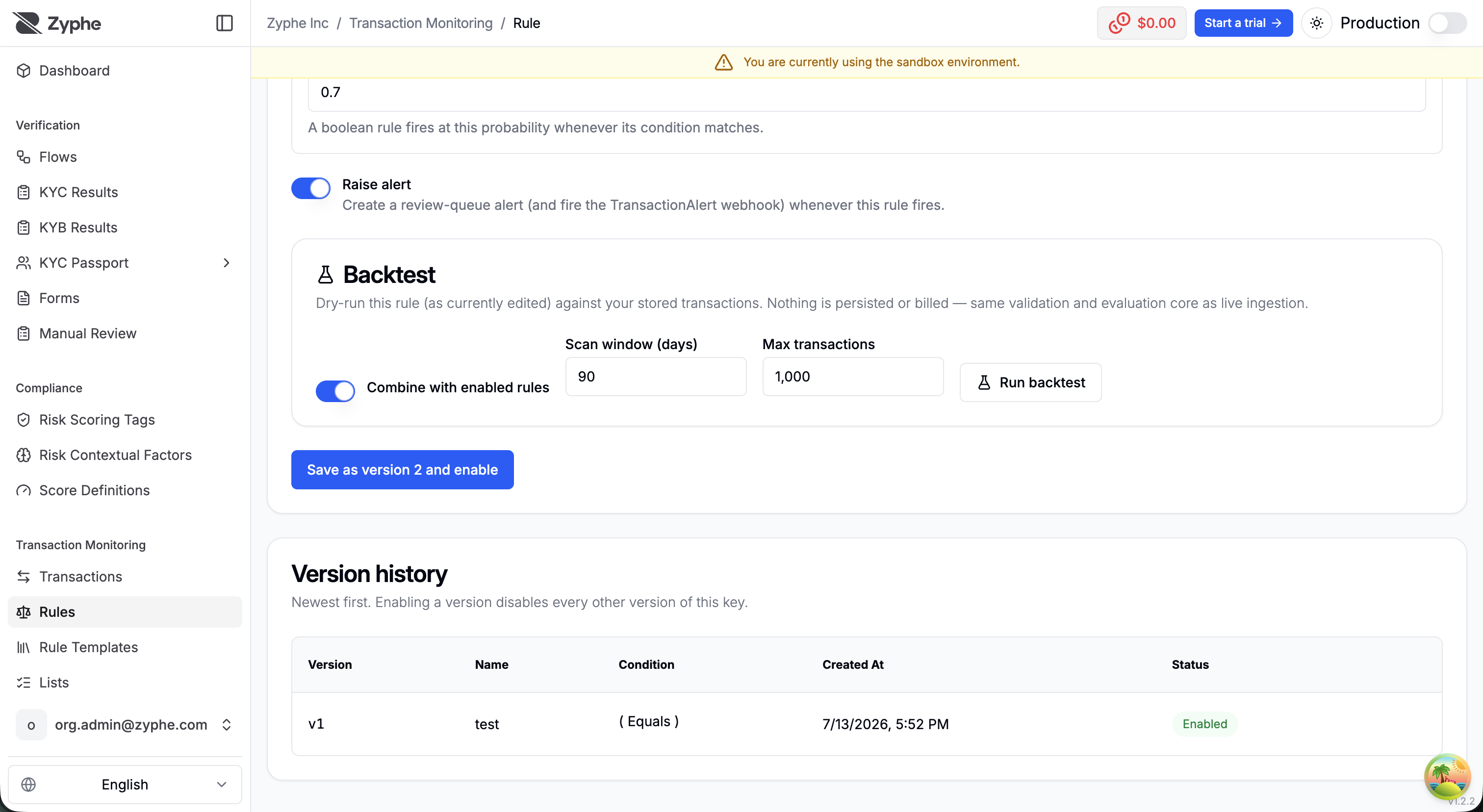
Backtesting
Before enabling a rule (or a new version of one), you can backtest it: a dry-run of the rule — as currently edited — against your stored transactions over a chosen scan window. The backtest reports:
- how the simulated decisions compare with the stored baseline (Allow / Review / Block distribution);
- how often the candidate rule would fire, per band for banded rules;
- a sample of fired transactions with their simulated decision and
P(risk).
You can run the candidate rule alone or combined with the currently enabled rules; a candidate sharing an enabled rule's key replaces it for the run. Nothing is persisted or billed — the backtest uses the same validation and evaluation core as live ingestion.
Rule templates
Transaction Monitoring → Rule Templates is a jurisdiction-tagged catalog of ready-made rules, with regulator citations (for example UIF indicatori di anomalia, FCA/JMLSG) plus universal primitives that apply anywhere.
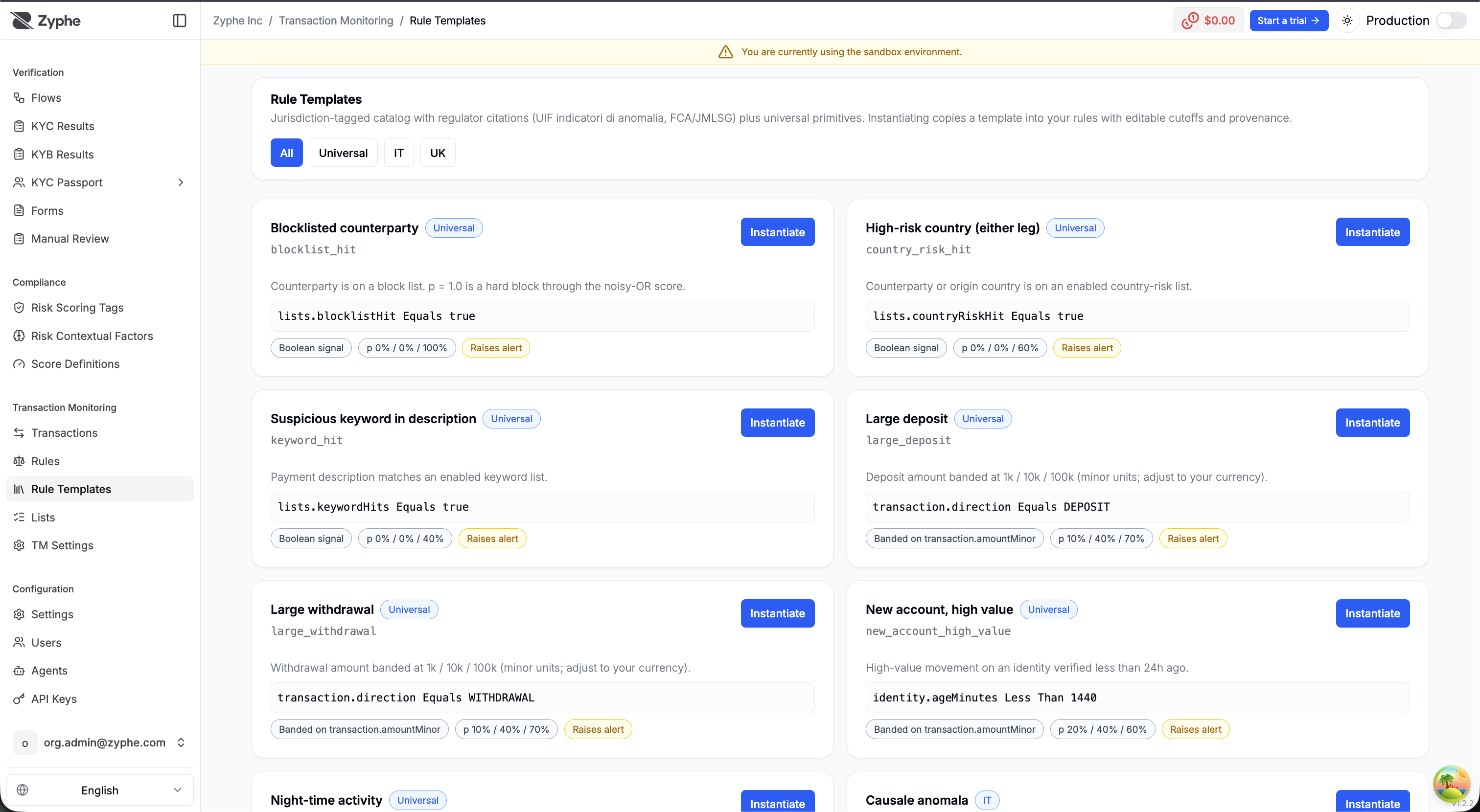
Instantiating a template copies it into your rule set as version 1, enabled, with template provenance recorded. The condition comes from the template; the cutoffs and probabilities are yours to tune afterwards like any other rule.