Settings and Alerts
Transaction Monitoring → Settings configures how the combined P(risk) turns into a decision, which timezone drives time-of-day rule fields, and where alerts are delivered.
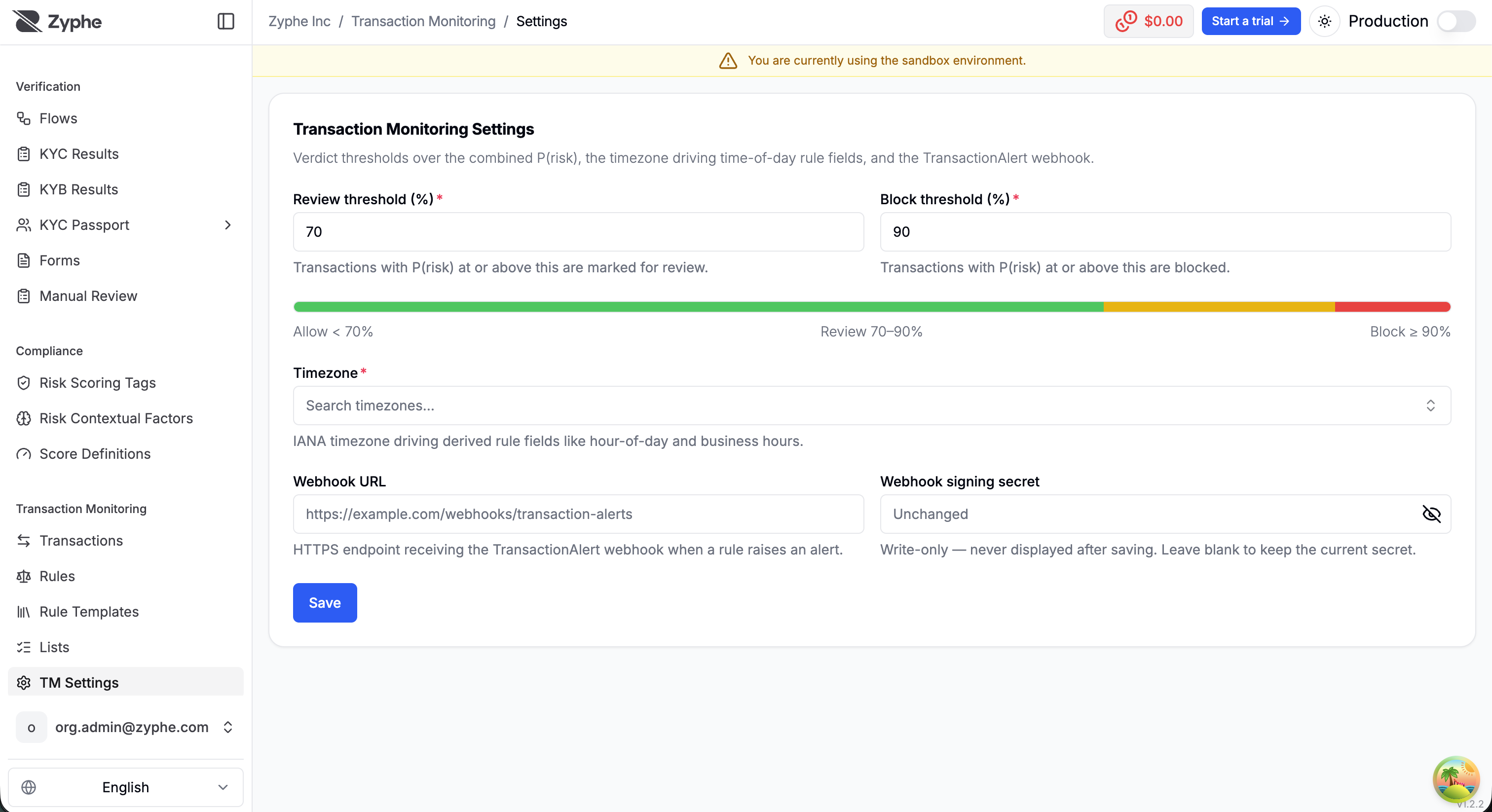
Decision thresholds
Two percentage thresholds over the combined P(risk) split the decision space:
| Range | Decision |
|---|---|
P(risk) below the review threshold | Allow |
P(risk) ≥ review threshold | Review |
P(risk) ≥ block threshold | Block |
Tightening or loosening the thresholds takes effect on the next ingested transaction; already-decided transactions keep their original verdict.
Timezone
An IANA timezone (for example Europe/Rome) drives the derived time fields available in the rule builder — hour of day, day of week, and outside business hours. Set it to the timezone your transaction book actually operates in, so night-time and weekend rules fire when you expect.
Alerts
A rule saved with Raise alert does more than contribute probability when it fires:
- an alert is recorded against the transaction, visible in the transaction detail's fired-rules breakdown;
- the alert is delivered to your webhook, so you can route it into your own review or case-management workflow.
Alerts carry full provenance — the rule key, the exact rule version, and the probability it contributed — and every raised alert is also written to the immutable audit trail.
Alert webhook
Configure in Settings:
- Webhook URL — the HTTPS endpoint receiving a notification whenever a rule raises an alert. The payload identifies the transaction (including your external ID), the verified identity, the decision, the combined risk probability, and the raised alerts with their rule provenance.
- Webhook signing secret — used to sign deliveries so you can verify they come from Zyphe, following the same signature scheme as the platform's other webhooks (see Webhook signature). The secret is write-only: it is never displayed after saving, and leaving the field blank keeps the current one.