Transactions
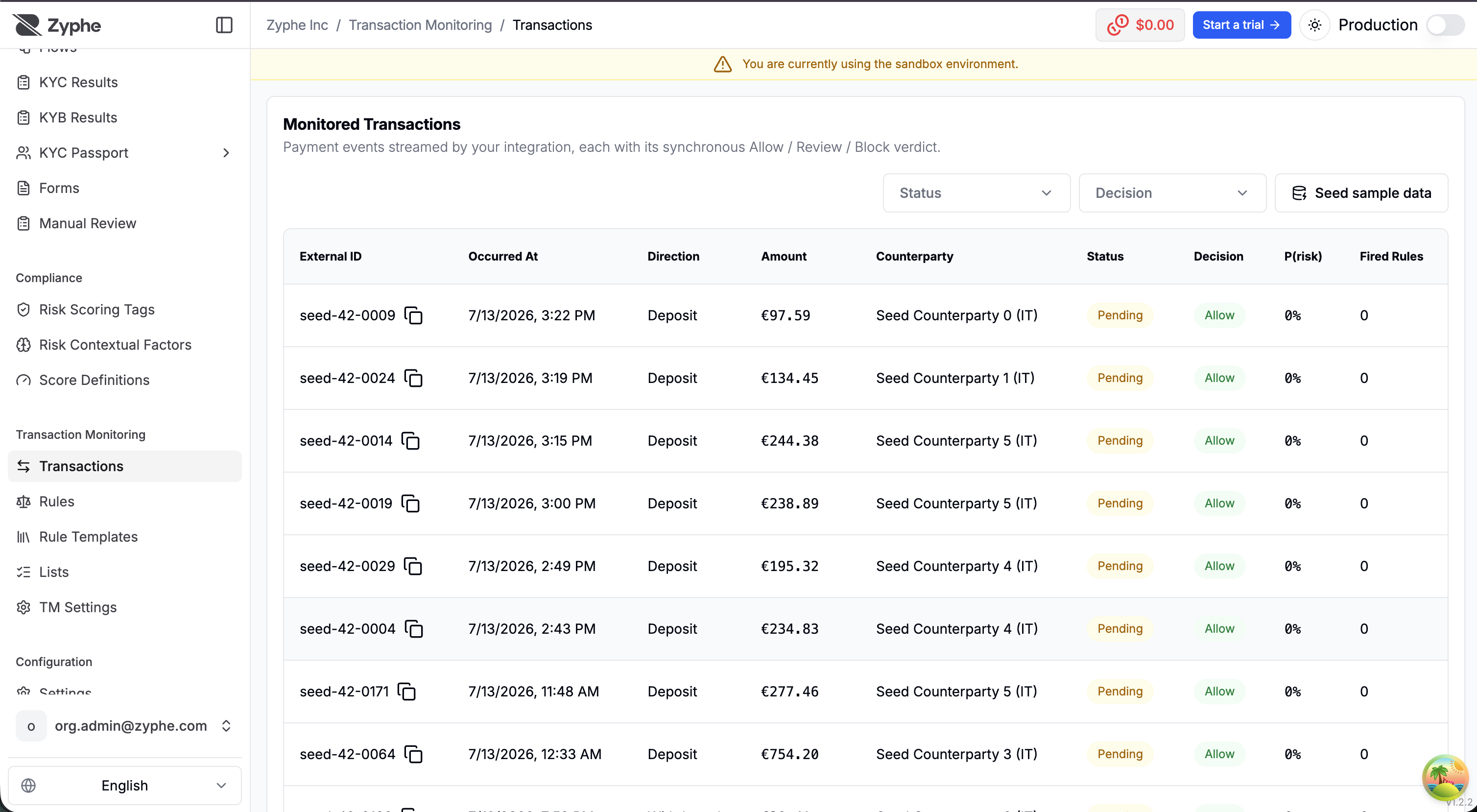
Transaction Monitoring → Transactions lists every payment event streamed by your integration, each with the synchronous Allow / Review / Block verdict it received at ingest time.
The transaction list
Each row shows:
- External ID — your transaction identifier (also the idempotency key).
- Occurred At — the client event time you reported.
- Direction —
Deposit,Withdrawal, orTransfer. - Amount and currency.
- Counterparty — the other leg of the payment.
- Status — the payment lifecycle status (
Pending,Settled,Failed,Canceled,Reversed), updatable by your integration as the payment progresses. - Decision — the monitoring verdict (
Allow,Review,Block), or Not evaluated for transactions ingested before any rules were configured. - P(risk) — the combined risk probability behind the decision.
- Fired Rules — the rules that contributed to the decision.
The list can be filtered by status and decision, and clicking a row opens the transaction detail.
Transaction detail
The detail page breaks a single transaction down into:
- Payment — external ID, direction, channel, rail, description, and the timeline: when it occurred, when it was ingested, and when it was decided.
- Parties — the verified identity (and your own user reference), origin country, and the counterparty's name, country, and account identifier.
- Fired rules — the heart of the page: each rule that fired, its version, the band it landed in (for banded rules), the probability it contributed, and whether it raised an alert. The header shows the combined risk probability and explains the combination:
P(risk) = 1 − ∏ (1 − pᵢ), compared against your review and block thresholds.
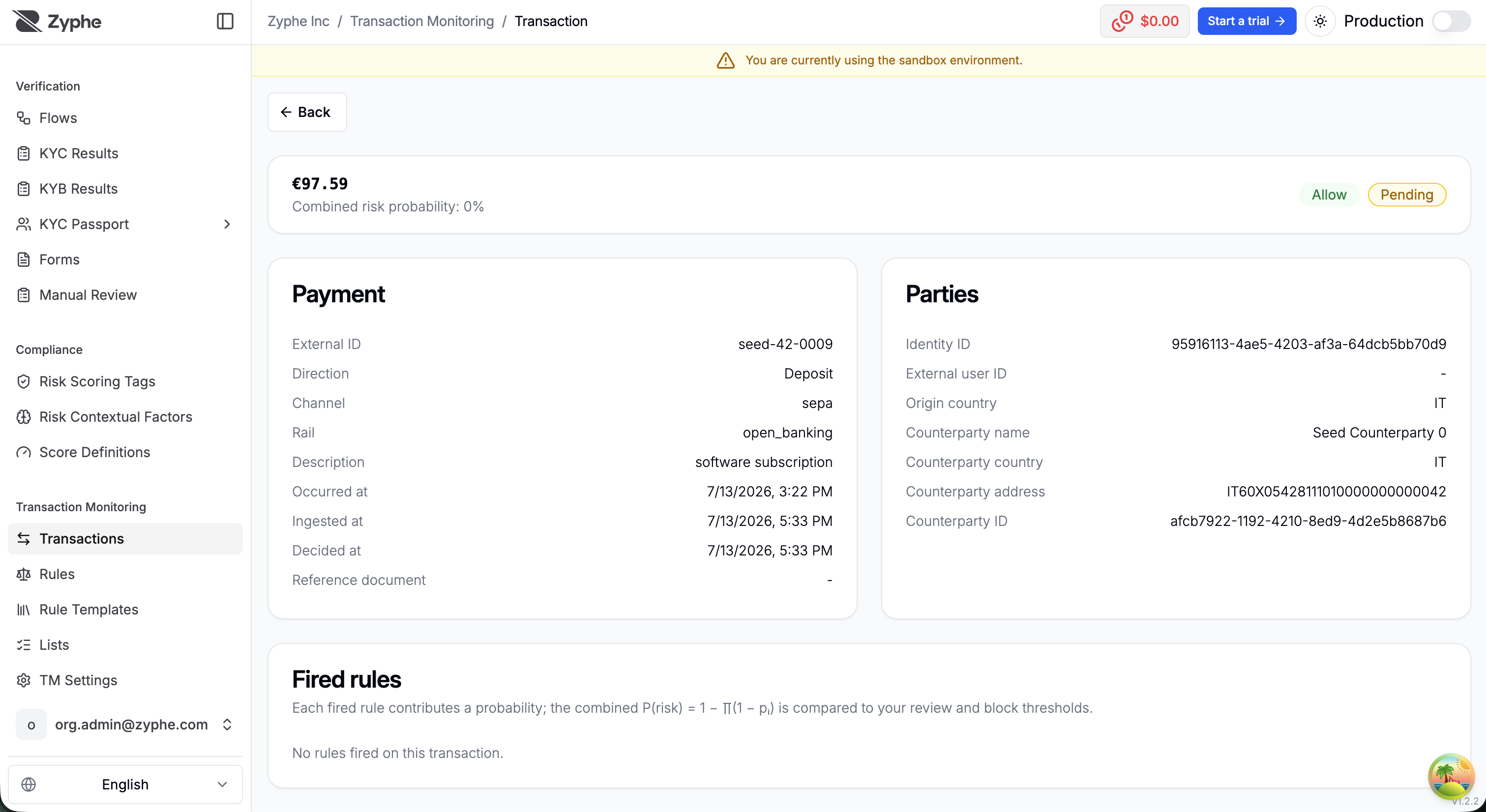
Because every fired rule is recorded with its exact version, a decision can always be re-explained later — even after the rule has been edited or disabled.
Seeding sample data (sandbox)
In the sandbox, the Seed sample data action generates a deterministic synthetic transaction book through the real ingest path, so it arrives already evaluated against your configured rules. You control:
- the seed — same seed, same book, which keeps demos reproducible;
- the number of transactions and identities;
- the time window in days;
- the suspicious share — the percentage of transactions drawn as suspicious patterns: structuring bursts, high-risk countries, flagged keywords, night-time movements.
Re-running the same seed replays idempotently, and the outcome reports how many transactions were created, how many replayed, and how many alerts were raised. Seeding is available in the sandbox only — production books are real data.