API Keys Management
API keys authenticate requests to the Zyphe API (https://api.zyphe.com). They are not used against the documentation site. See Environment setup for hosts.
Key Types
Zyphe provides two distinct types of API keys, each designed for specific use cases and security requirements:
Publishable Keys
- Prefix:
zyphe_pk_ - Use Case: Client-side code only—primarily the Browser SDK in a web app with restricted Allowed Origins (CORS).
- Security: Limited permissions. Never sufficient as a substitute for a secret key on your backend.
Secret Keys
- Prefix:
zyphe_sk_ - Use Case: All backend / server-side calls, including:
POST /sdk/flow/{flowId}/vr/create(session creation)- Step completion, next-step, flow results, AML, KYB helpers
- Direct HTTP integrations without the npm SDK (Backend API integration)
- Node SDK /
@zyphe-sdk/coreon a server - The Export API (secret keys only)
- Security: Secret keys grant broad access to your organization's API resources. They must never be embedded in mobile apps, browser bundles, or public repositories.
| Call site | Key type |
|---|---|
| Your backend (any language) | Secret zyphe_sk_… |
| Browser SDK in the page | Publishable zyphe_pk_… |
| Mobile app binary | Neither — call your backend; backend uses secret |
Backend integrations
If you are not using the Browser SDK in a web page, generate a secret key. A very common 401 invalid_api_key cause is sending a publishable key to vr/create from a server.
Managing API Keys
You can manage your API keys through the Zyphe Dashboard. The following operations are available:
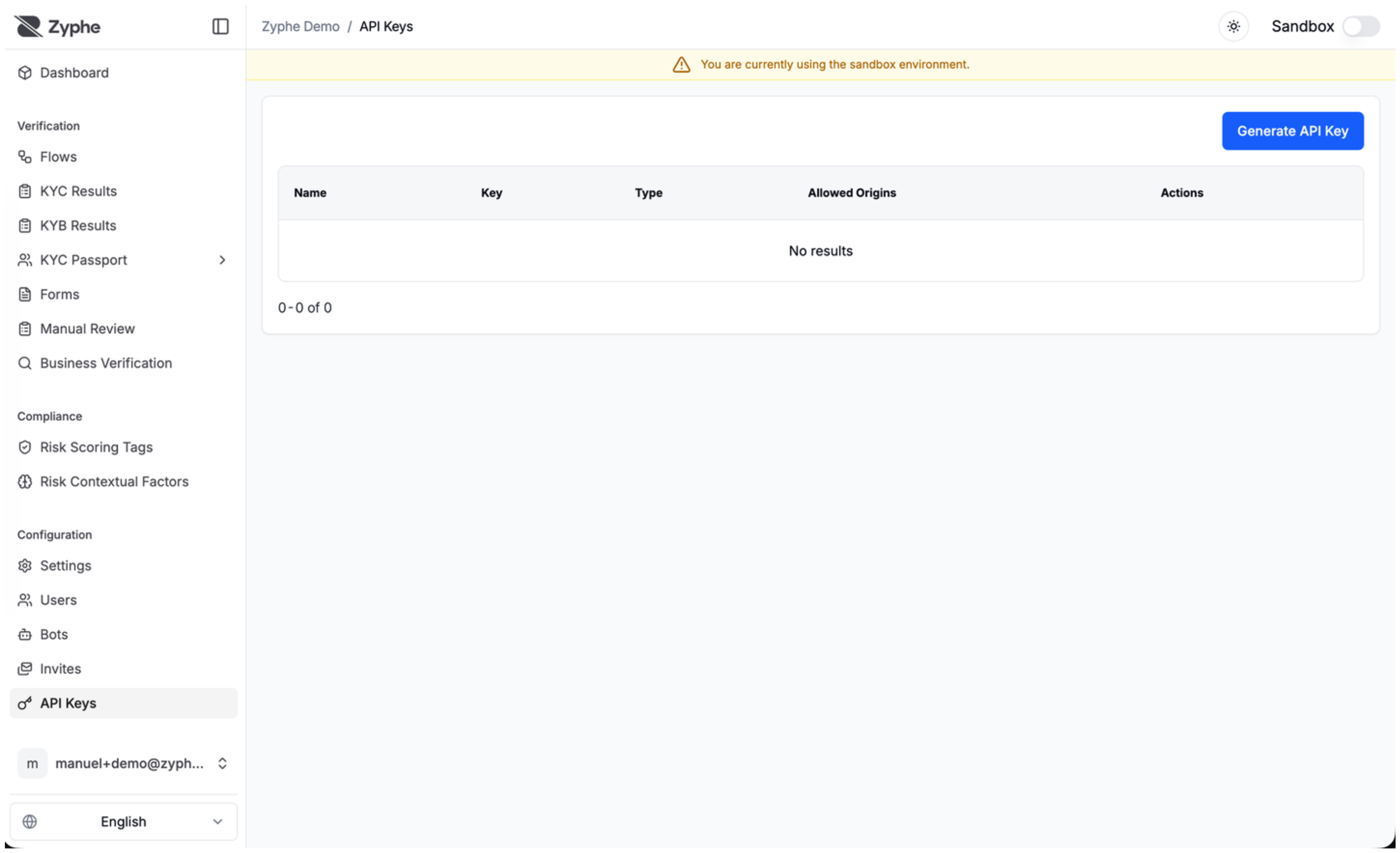
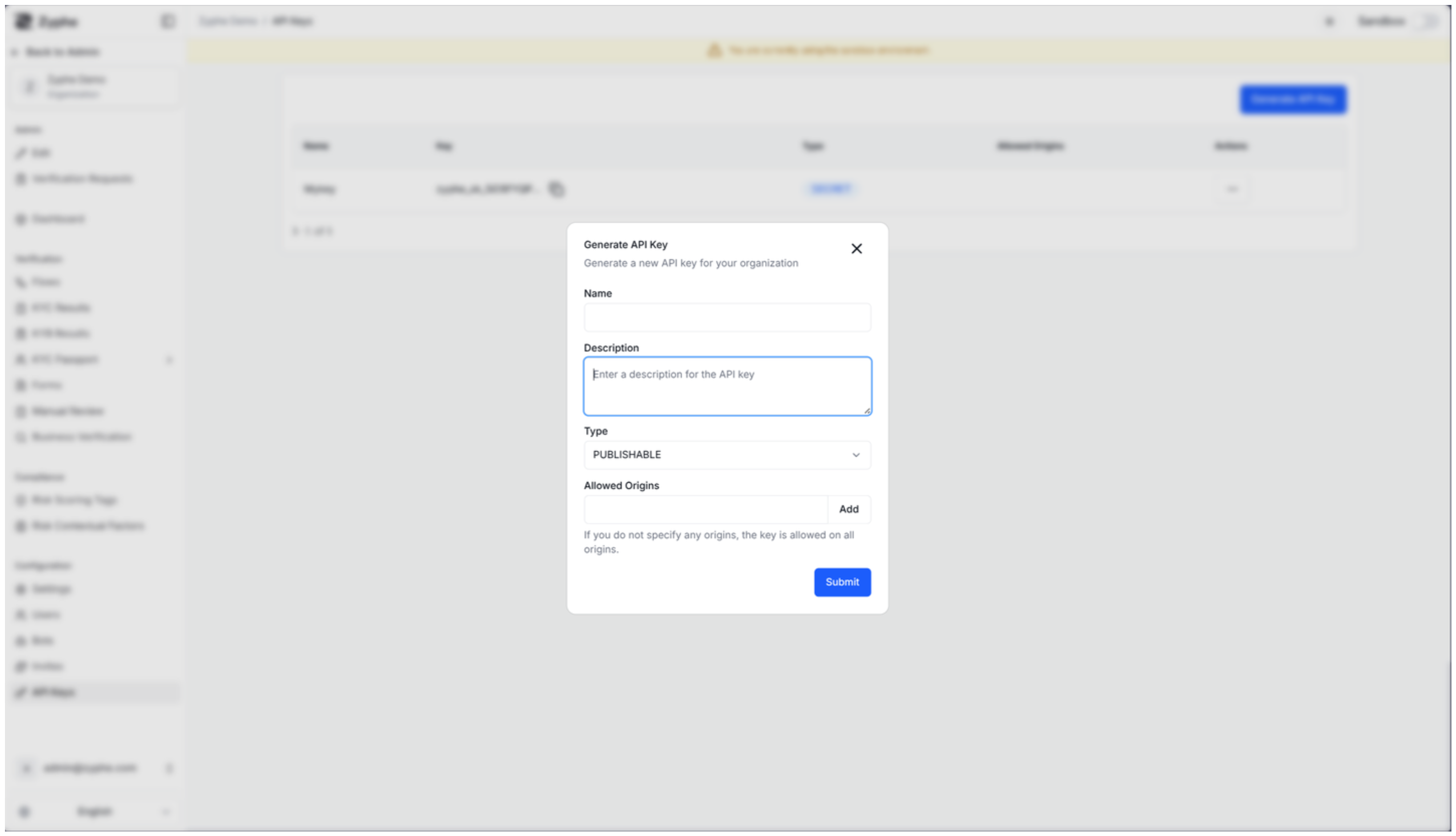
- Create: Generate new keys for different environments or applications. You can specify a name, description, and key type.
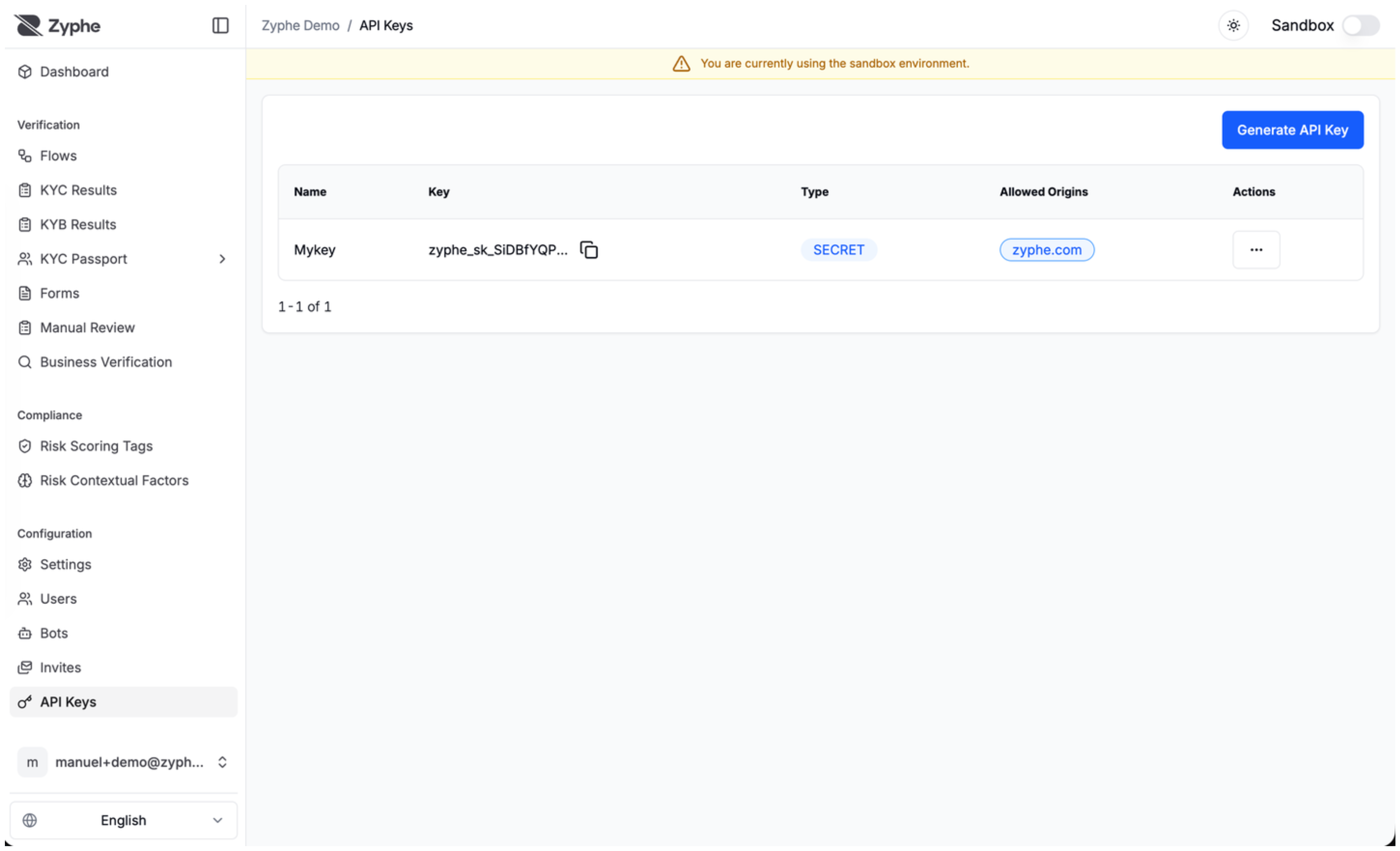
- View: Access your existing keys. Note that for security reasons, the full value of a Secret Key is only displayed once at the time of creation.
- Update: Modify the metadata of a key, such as its name, description, or allowed origins.
- Delete: Revoke a key to immediately disable its access to the API.
Where to generate keys
- Open the Zyphe Dashboard.
- Navigate to API Keys (organization developer settings).
- Click Generate API Key, choose Secret or Publishable, name the key, and (for publishable) set allowed origins.
- Copy a secret key immediately—it is shown in full only once.
Troubleshooting invalid_api_key
HTTP 401 with body like:
{ "code": 10201, "errorTag": "invalid_api_key" }
| Cause | What to check |
|---|---|
| Wrong key type | Backend must use zyphe_sk_…, not zyphe_pk_… |
| Wrong API host | Base URL must be https://api.zyphe.com (not docs.zyphe.com) |
| Truncated / reformatted key | No spaces, quotes, or line breaks in the header value |
| Key deleted or rotated | Generate a new secret key in the dashboard |
| Sandbox vs production mix-up | sandbox / isSandbox must match the dashboard mode — Sandbox mode |
Full error catalog: API errors.
Security Best Practices
- Protect Secret Keys: Always store secret keys securely using environment variables or secret management services.
- Restrict Origins: For publishable keys, always configure the "Allowed Origins" setting to ensure the key can only be used from your authorized domains.
- Rotate Keys: Periodically rotate your API keys to minimize the impact of a potential credential leak.
- Principle of Least Privilege: Use different keys for different applications or environments to isolate access.