New flow and templates
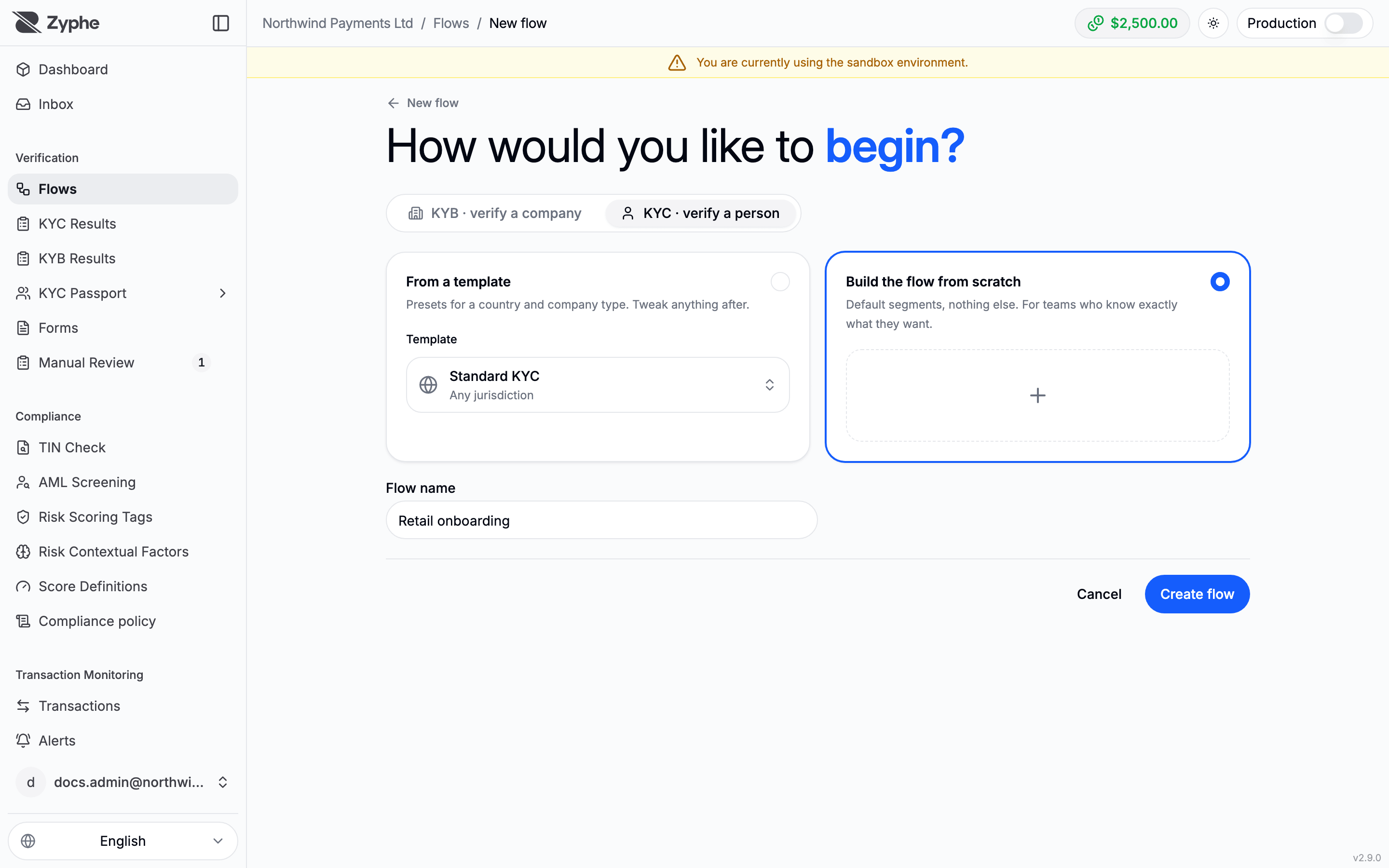
Create Flow on the Flows page opens the new flow page, which asks "How would you like to begin?". This page describes its options. For the full KYC walkthrough, see KYC Overview.
Flow type
Two tabs choose what the flow verifies:
- KYC · verify a person: identity documents, liveness, proof of address and the other KYC steps.
- KYB · verify a company: business information, documents, owners and directors. See KYB Overview.
A tab is disabled when none of its products is enabled for your organization.
How to start
| Option | What you get |
|---|---|
| Suggested for your business | KYB only, when your organization's website has been analysed: a KYB setup based on what the website says. You review every step. |
| From a template | A preset for a country and company type, with its steps already configured. You can change anything after. |
| Build the flow from scratch | Default segments, nothing else. You add every step yourself. |
Below the options, enter the Flow name and click Create flow. The name is the only field: when you start from a template or a suggestion, it is pre-filled with that name until you type your own. The slug used in the flow's link is generated from the name.
A KYC flow is created at once and its flow page opens. A KYB flow from scratch or from the suggestion opens a guided setup first, described in Set up a KYB flow.
Choosing a template
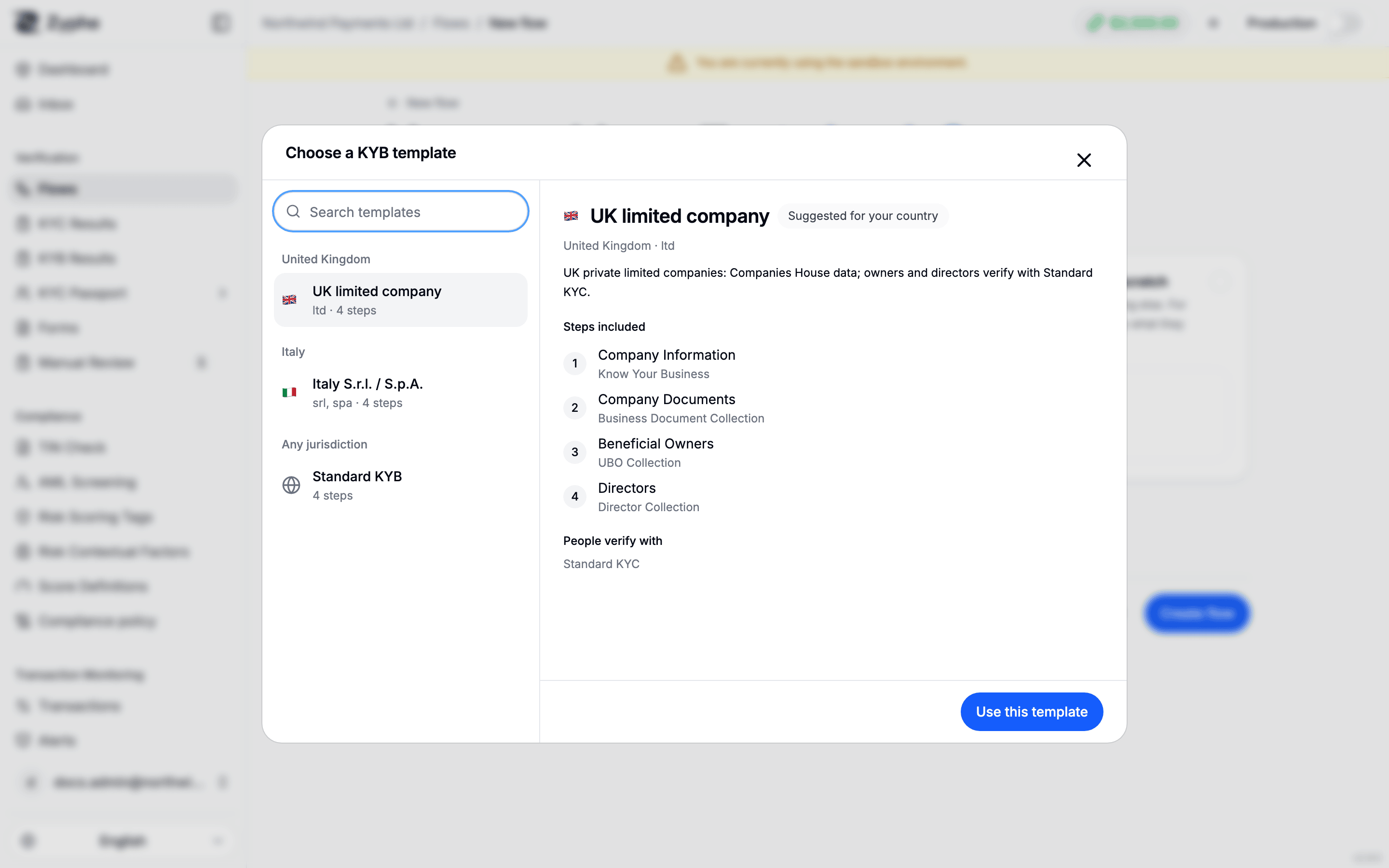
The From a template card shows the selected template, with its country flag (or a globe for templates that fit any jurisdiction). Click it to open the template picker:
- Templates are grouped by jurisdiction. Your organization's country comes first, and its templates are marked Suggested for your country (when templates exist for it; KYC currently offers one template for any jurisdiction).
- Search templates filters the list.
- Selecting a template shows Steps included and, for a KYB template, the KYC templates its people verify with (People verify with).
- Click Use this template to select it.
When the page opens, a template suggested for your country is selected, or else one that fits any jurisdiction. The From a template option appears only when templates are offered for the flow type.
A flow created from a template is an ordinary flow: edit its steps, settings and Flow configuration like any other.
Setups in progress
A KYB setup you leave before publishing waits at the top of the Flows page under flow setups in progress, with Resume setup and Discard. See Set up a KYB flow.