Open a KYB case yourself
Most KYB cases open when a company fills in your KYB flow. An analyst can also open a case for a company directly, without inviting it to a flow: for a company you already know, a case you are preparing from documents you hold, or a company that will not use a link. The case works like any other once its checks run, and is decided the same way.
Cases are opened by users with the ORG_ADMIN, ORG_OPERATOR, or AML_OFFICER role.
1. Pick the flow and the company
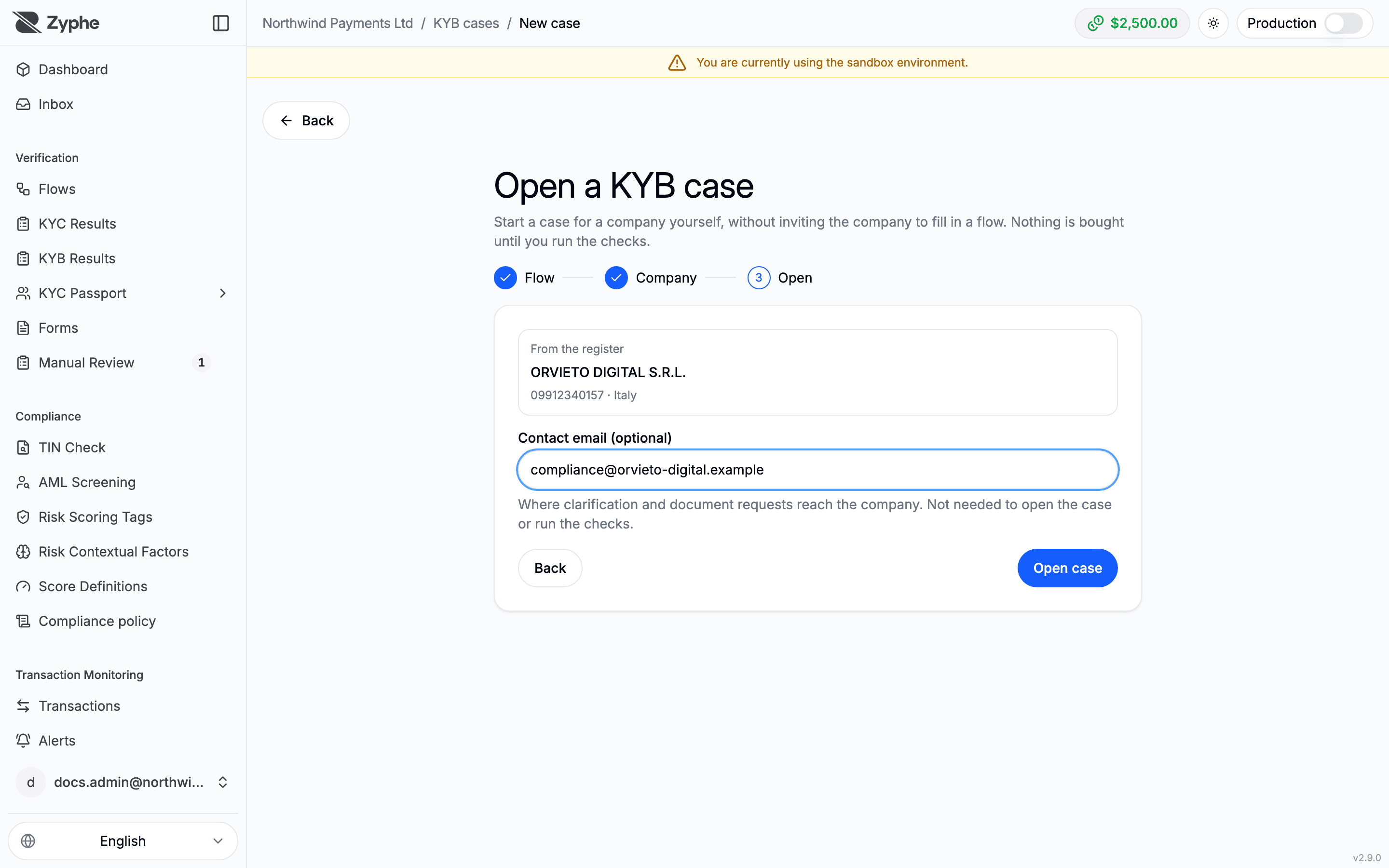
In the Zyphe Dashboard, open KYB Results and click New case. The Open a KYB case page asks three things:
- Flow: which flow's settings the case follows. The case takes its checks, documents, and spending limits from the KYB step of the flow you pick; the flow is not started and nobody is invited. With a single KYB flow, this step is skipped. You need at least one flow with a KYB step: see Set up a KYB flow.
- Company: search the company register of its country by name or registration number and pick the company, or Enter details manually.
- Open: check the company, add the Registration number if it is missing (it is needed to run the checks, and can be added later), and an optional Contact email: where clarification and document requests will reach the company. Then click Open case.
If the company already has a case that is still open, the page says so, with Open it to go to that case instead.
2. Compose the case
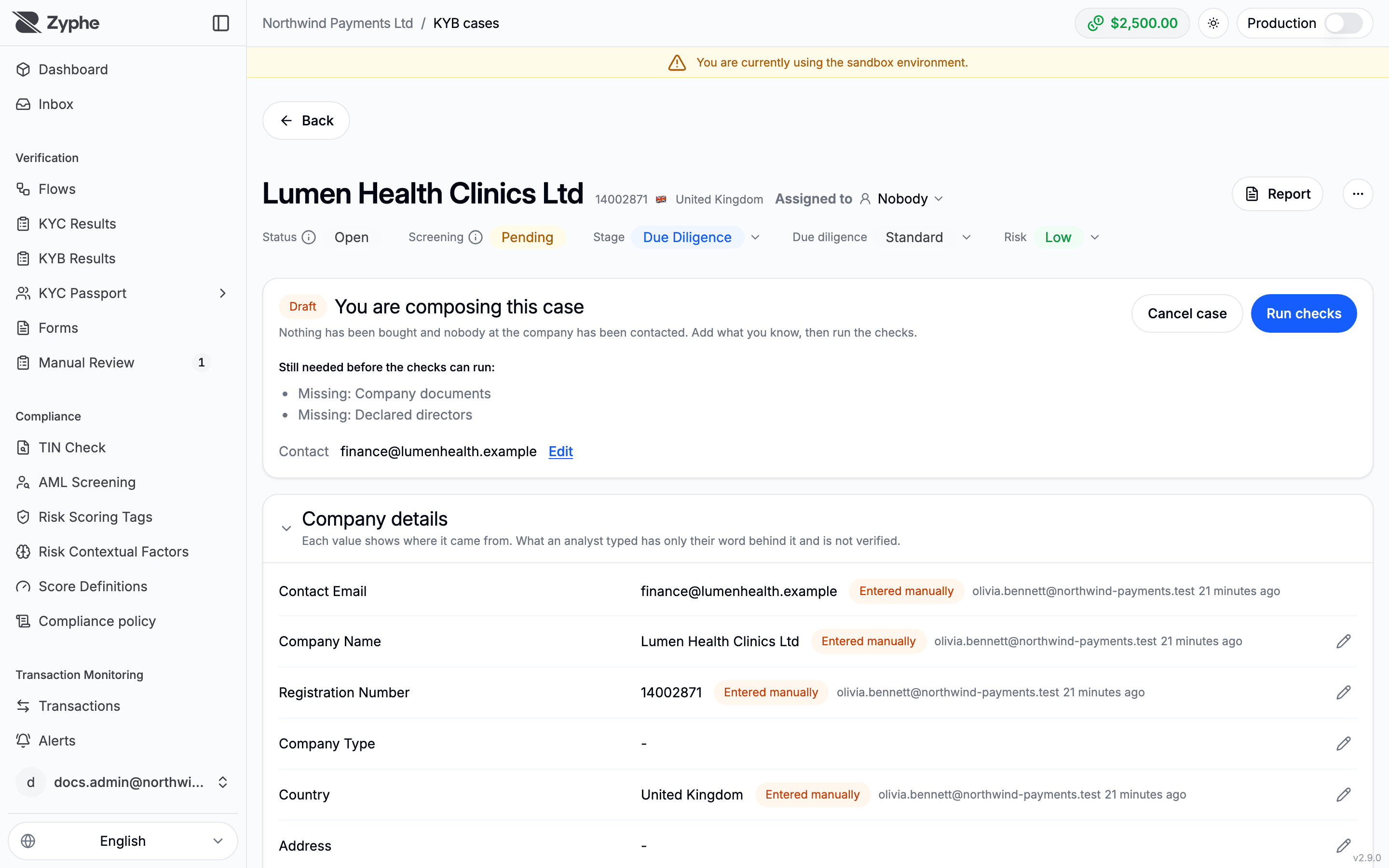
The case opens as a Draft: You are composing this case. Nothing has been bought and nobody at the company has been contacted. On the case page you can:
- complete the Company details. Each value shows where it came from; what an analyst typed is marked as such and is not verified;
- Attach a document to the case's Documents, such as a register extract you already hold (up to 10 MB per file);
- add owners and directors under People;
- Set contact, or change it, until the first request is sent to the company. From then on the case is tied to that address.
The panel at the top lists what is Still needed before the checks can run.
3. Run the checks
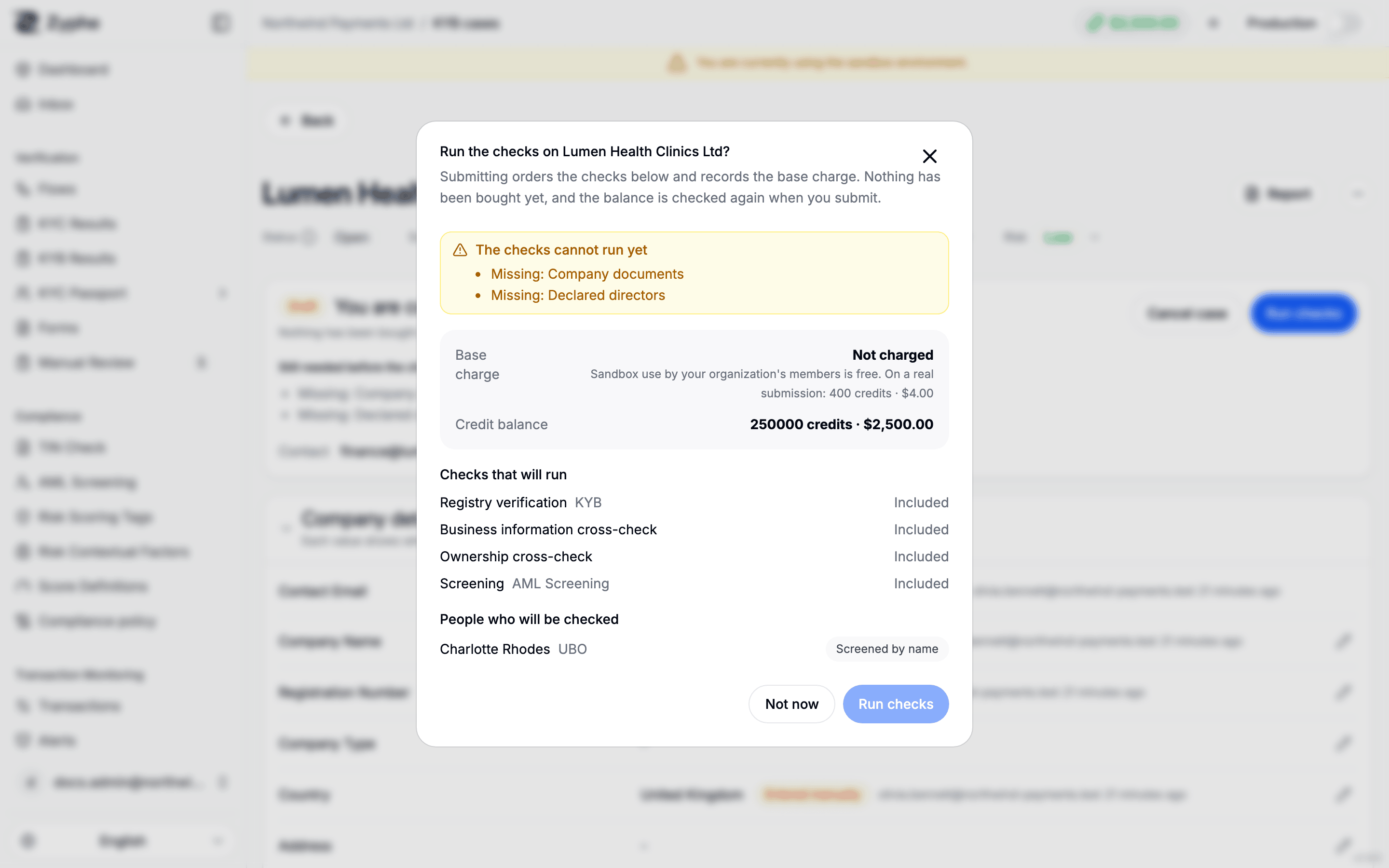
Run checks shows what submitting will do before anything is bought: the Checks that will run, the People who will be checked (invited to verify, or screened by name), the Base charge, any ownership-discovery spend, and your Credit balance. In the sandbox, use by your organization's members is not charged. Confirm with Run checks: the case moves to PROCESSING and continues like a case the company submitted. See How a KYB case works.
Cancel case closes a draft without any charge. A case whose checks have run cannot be cancelled this way.
Finding these cases
In KYB Results, filter on Opened by to see the cases analysts opened (Analyst) apart from those companies submitted (Applicant). The case's Audit trail records who opened and composed it.
Related
- Reviewing KYB cases: working and deciding a case.
- Set up a KYB flow: the flow whose settings a case follows.