Score Definitions
A score definition describes one score your organization computes for each flow result: its name, the strategy used to calculate it, and the set of weighted tags that feed it.
You do not need a new definition to use Zyphe for AML or onboarding risk. Every organization already has system scores for that. Create a definition only when you want a separate number with its own tags — typically something that is not AML.
| You want to… | Do this |
|---|---|
| Make PEP, sanctions, or fraud count more or less | Keep the system AML / Risk scores. Change tag weights (or add custom tags that feed them). |
| Score a supplier questionnaire, an onboarding-quality checklist, or any non-AML rubric | Click New definition and point that score’s tags at the form (or at flow actions). |
| Roll several scores into one headline | Create a definition and list the others as Sources. |
In the Zyphe Dashboard, navigate to the Score Definitions page in the Compliance section to define custom scores for your organization and manage the tags that feed them.
Score definitions are managed by Admin users. See Manage Users for the full role reference.
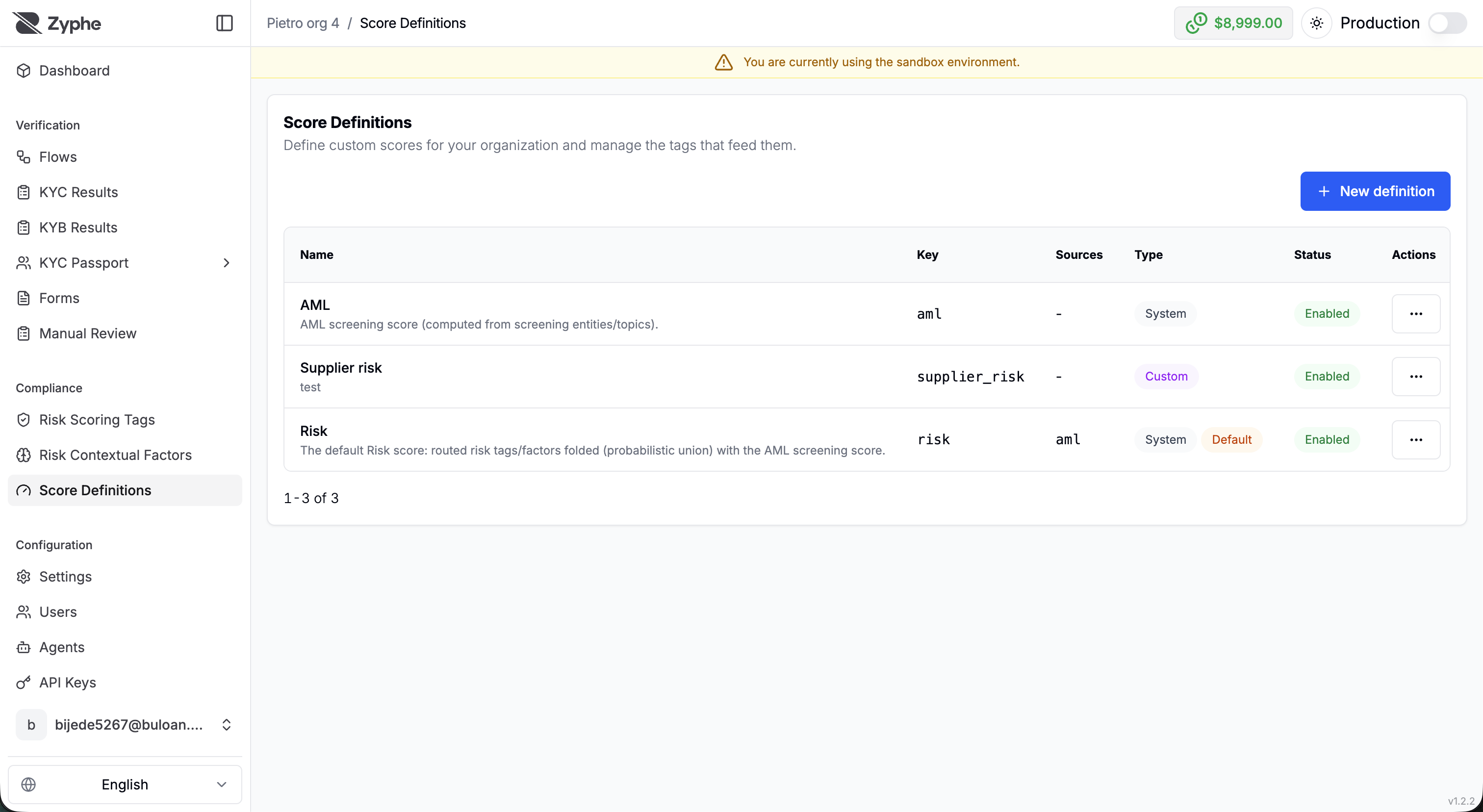
System scores
Every organization starts with system‑provided definitions. The keys risk and aml are reserved.
- AML (
aml): the screening score from sanctions, PEP, and adverse-media matches. Tune it by overriding tag weights and contextual factors, not by creating a second AML definition. See Risk scoring. - Risk (
risk): the headline score on flow results. It can fold in AML plus form answers, workflow tags, and manual tags.
System definitions cannot be edited or removed. You can still manage the custom tags that feed them, and you can override global AML tag weights. That is “defining the score” for AML: changing how existing signals combine, not creating a new score.
Create a custom score
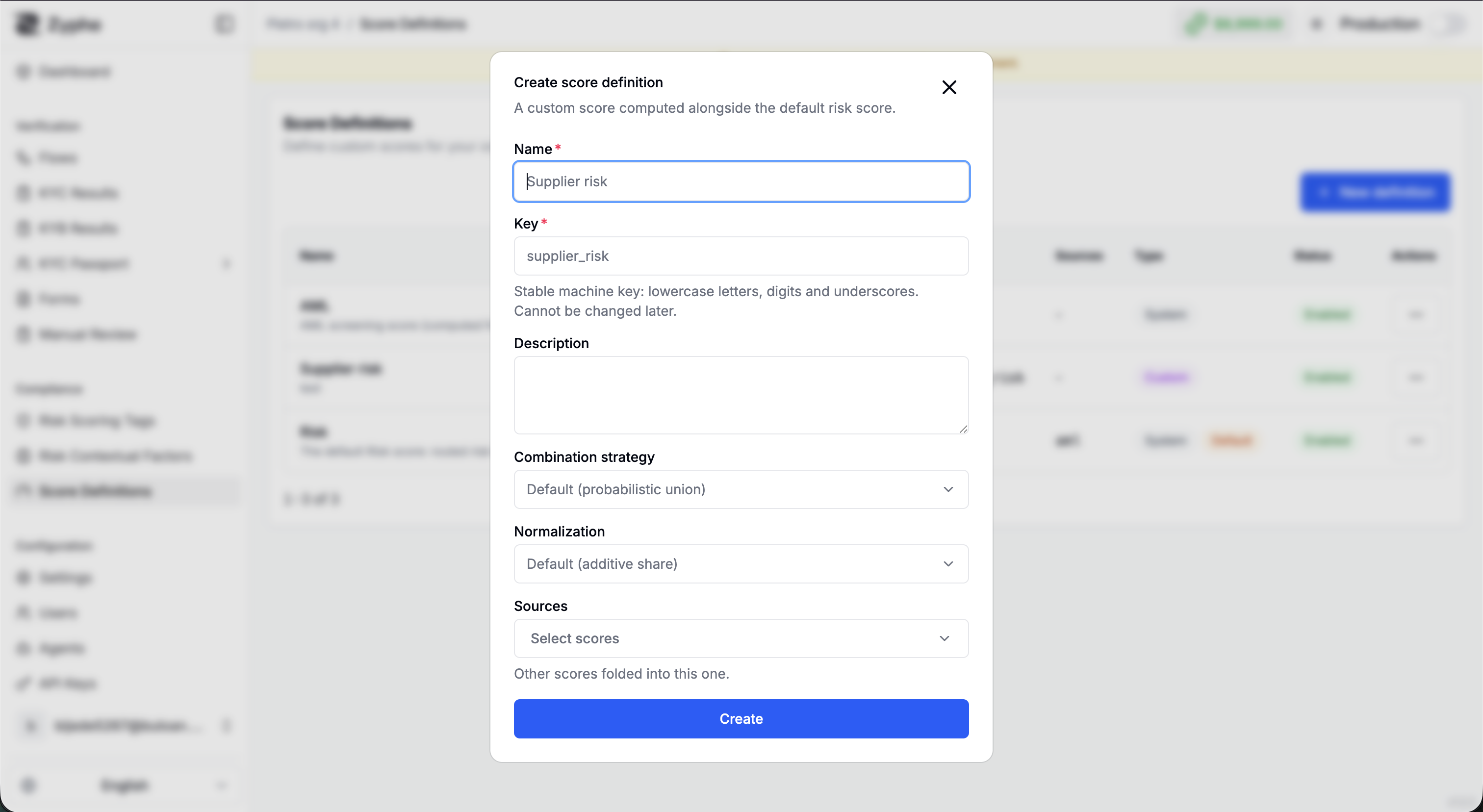
Click New definition when the number you need is not AML or the headline Risk score: a supplier_risk score on a vendor questionnaire, an onboarding_quality score, a product-specific rubric. The scoring engine is general-purpose; AML is one input, not the only one.
Fill in:
- Name: The user-facing name of the score.
- Key: A unique, immutable identifier (lowercase letters, digits, and underscores, e.g.
supplier_risk). The key cannot be changed after creation. - Description: An optional description of what the score measures.
- Combination strategy: How the score's own tag-based result is combined with its sources, Probabilistic union (default), Maximum, or Weighted.
- Normalization: How matched tag weights are turned into a percentage, Additive share (scorecard) (default), Relative share, or Single tag ceiling.
- Sources: Other scores folded into this one. A score can build on the result of other scores; circular references are rejected.
The strategies are explained in detail in How Scores Are Computed.
Existing definitions can be renamed, re-described, re-configured, or disabled with the Enabled checkbox, a disabled score is skipped at computation time without deleting its configuration.
Manage tags
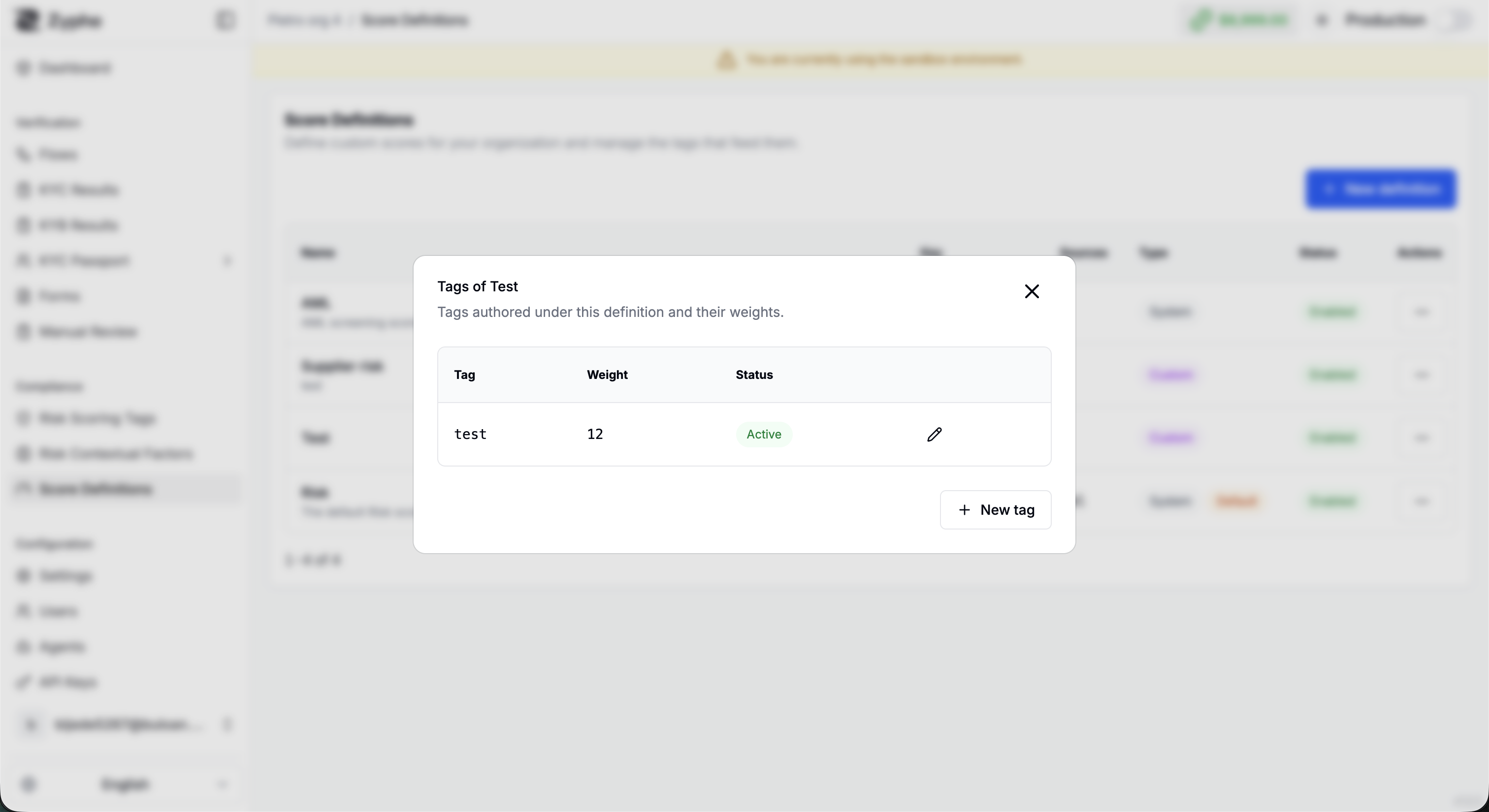
Each definition has a Manage tags action that opens the list of tags feeding that score, with their weight and status.
- Add a tag: Provide the Tag name and its Weight. The tag can then be assigned by forms and workflow actions.
- Edit a tag: Adjust the Weight or toggle the tag Active/inactive without deleting it.
The most common way to feed a custom score is directly from a form: assign weights to answers and options in the form builder, and they are recorded as score tags on the flow result. See Form scoring. Step-by-step tag assignment (form, Flow Builder, review) is in Tags.